


cfxregame
Gold Elite
There are not many resources on changing the sound of the vehicle, so if you are wondering how to change the sound of the vehicles we will use;
STEP 1
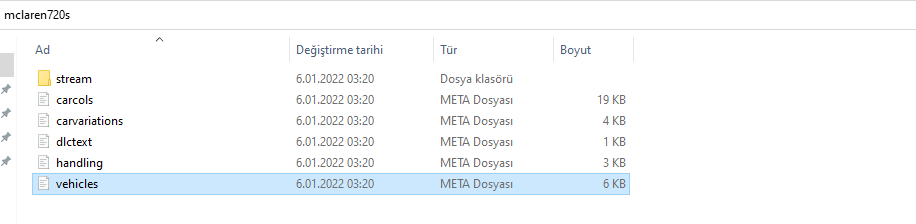
Open the Vehicles.meta file after the location of our vehicle file
STEP 2
Since I like to use Visual Code, I opened the file using it, but you can edit it with any program you want... Inside the Vehicles.meta file
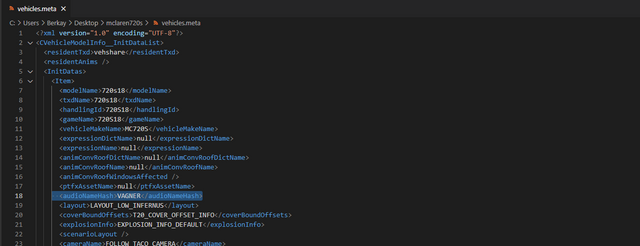
We find the <audioNameHash> </audioNameHash> line (usually on the 18th line) and write the spawn code of the vehicle we want in the middle part.
* If you cannot hear the sound from the vehicle after making changes, it is likely that the vehicle has written the spawn code incorrectly, check it.
STEP 1
Open the Vehicles.meta file after the location of our vehicle file
STEP 2
Since I like to use Visual Code, I opened the file using it, but you can edit it with any program you want... Inside the Vehicles.meta file
We find the <audioNameHash> </audioNameHash> line (usually on the 18th line) and write the spawn code of the vehicle we want in the middle part.
* If you cannot hear the sound from the vehicle after making changes, it is likely that the vehicle has written the spawn code incorrectly, check it.
Hidden link for visitors, to see
Log in or register now.