EZ_SCRIPTS
Bronze Elite
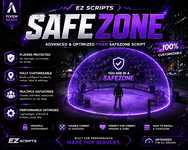
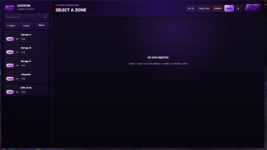
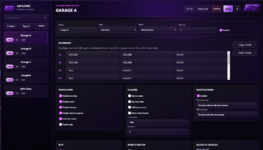
This is a FiveM SafeZone Creator script that allows server owners to create and manage safe zones easily inside their server. Before using the script, you must generate a license.
License Setup:
Open the EZ Scripts Discord bot and click Create License or use the /license command.
Enter the script name: ez_safezone
Add your Cfx.re ID.
The bot will generate your license.
After the license is generated, download the script file and add the license + CFX details inside the required config section.
Upload the script to your FiveM server resources folder.
Add this line to your server.cfg:
ensure SafeZone
Important:
This script will only work for the licensed user/server. Without a valid license, the script may not start correctly.
For support, please open a ticket in the EZ Scripts Discord server.
Script Link:
Discord Link for license keys :
License Setup:
Open the EZ Scripts Discord bot and click Create License or use the /license command.
Enter the script name: ez_safezone
Add your Cfx.re ID.
The bot will generate your license.
After the license is generated, download the script file and add the license + CFX details inside the required config section.
Upload the script to your FiveM server resources folder.
Add this line to your server.cfg:
ensure SafeZone
Important:
This script will only work for the licensed user/server. Without a valid license, the script may not start correctly.
For support, please open a ticket in the EZ Scripts Discord server.
Script Link:
Hidden link for visitors, to see
Log in or register now.
Discord Link for license keys :
Hidden link for visitors, to see
Log in or register now.