


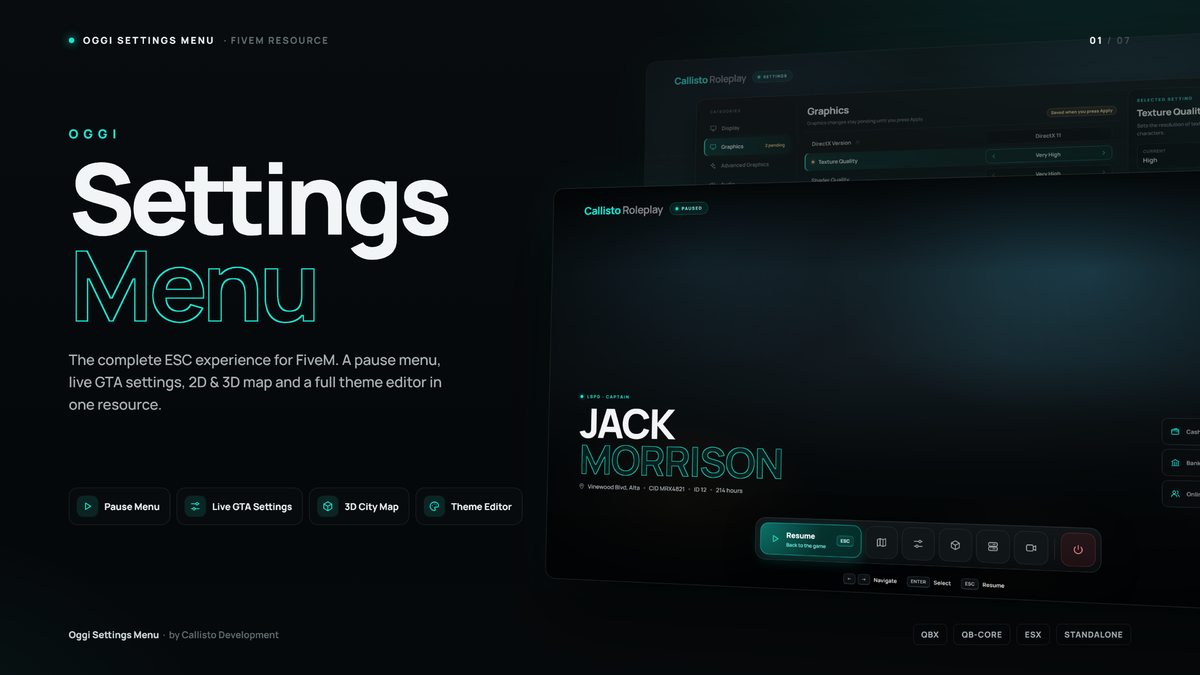
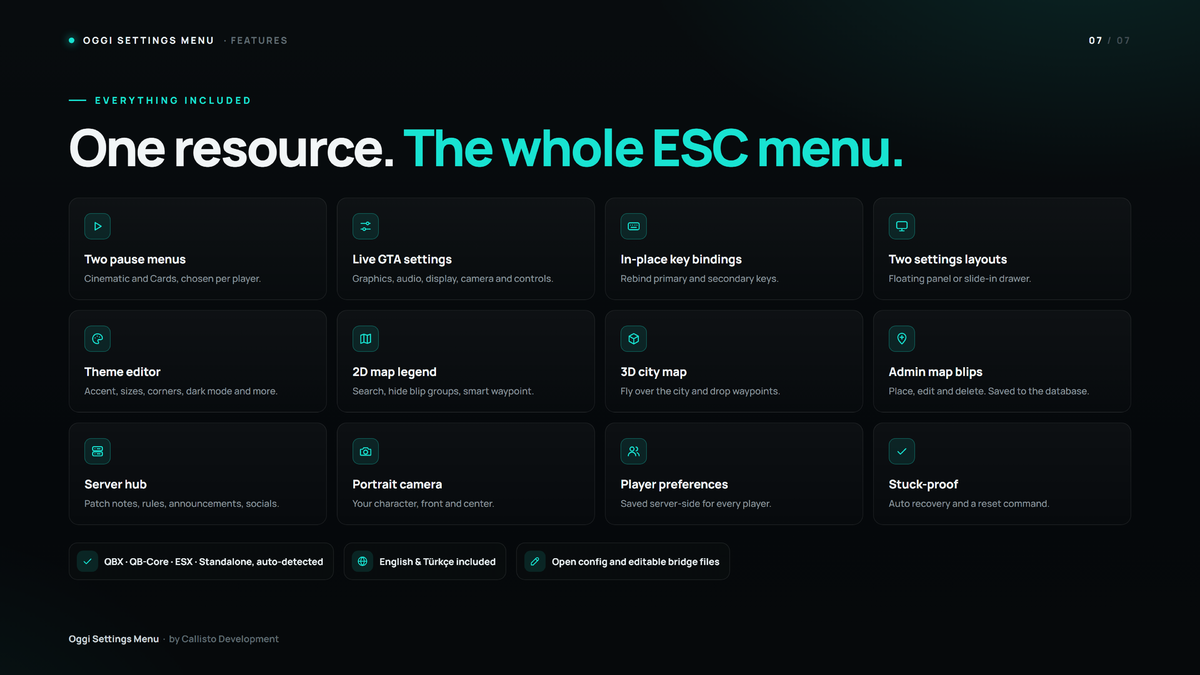
OGGI Settings Menu replaces the GTA V ESC menu with a complete, modern menu. Players get a pause screen with their character info, GTA’s own settings changed live in your design, a map with a smart legend, a 3D city map, a server page and a theme editor.
Everything a player changes is saved on the server. Every player can choose their own pause menu style, settings layout, colors and language from the in-game Theme page.

Pause menu
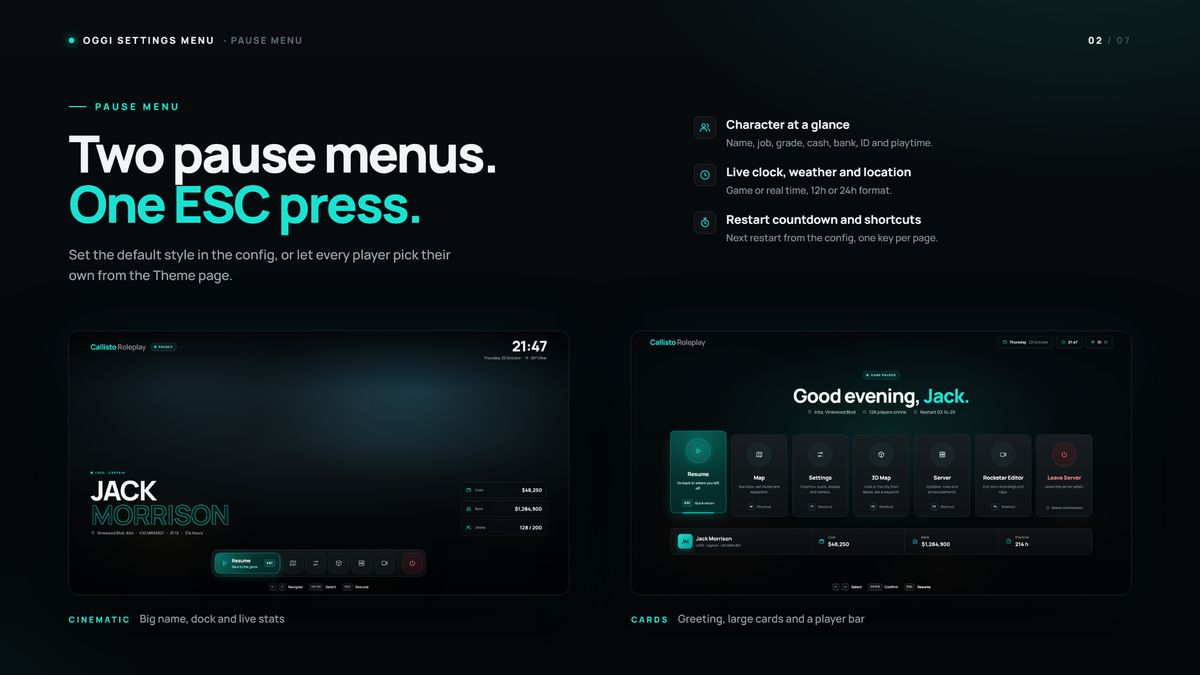
Two pause menu styles are included. Cinematic shows the character name large on the left, a dock at the bottom and live cash, bank and online stats. Cards shows a greeting, large page cards with shortcut keys and a player bar. Both show the live clock, weather, location, playtime and a countdown to the next server restart. The pause screen can also be turned off, so ESC opens the settings directly.
Live GTA settings
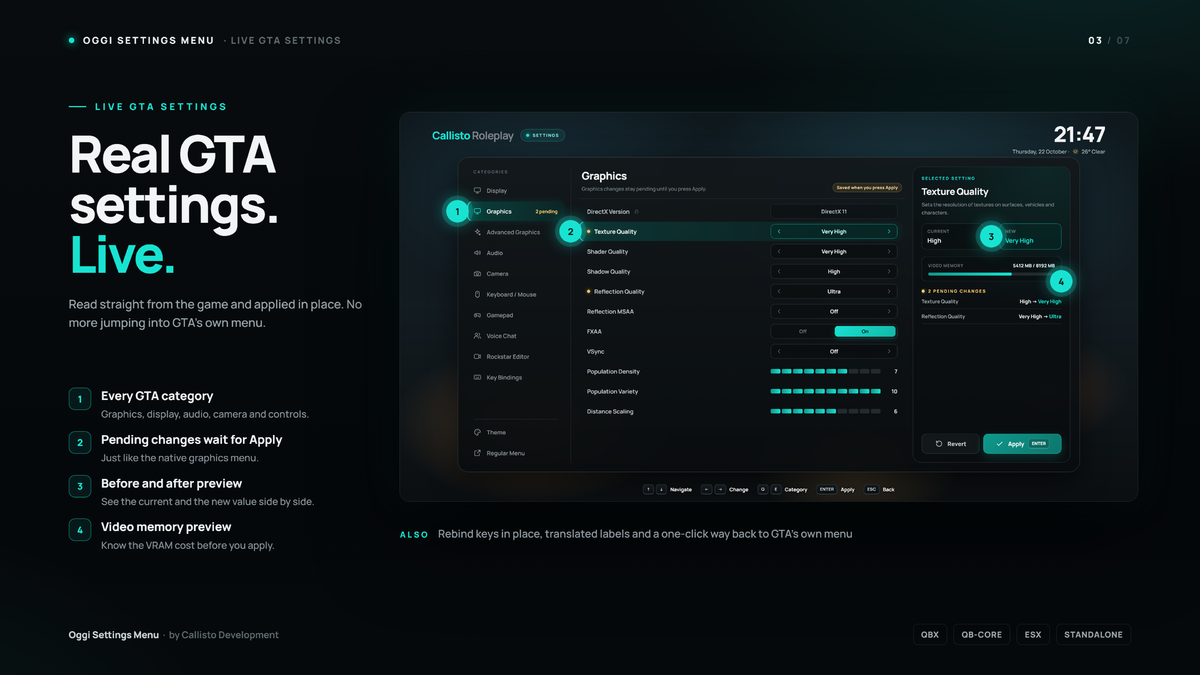
The settings page reads GTA’s own settings and changes them in place: display, graphics, advanced graphics, audio, camera, keyboard and mouse, gamepad, voice chat and Rockstar Editor. Graphics changes wait for Apply like the native menu, with a current/new preview and a video memory bar that shows the cost before you apply. Primary and secondary key bindings can be changed or removed without leaving the menu. A Regular Menu button opens GTA’s own screen and returns to yours. GTA’s setting names are translated into the menu language.
Settings layouts and theme editor
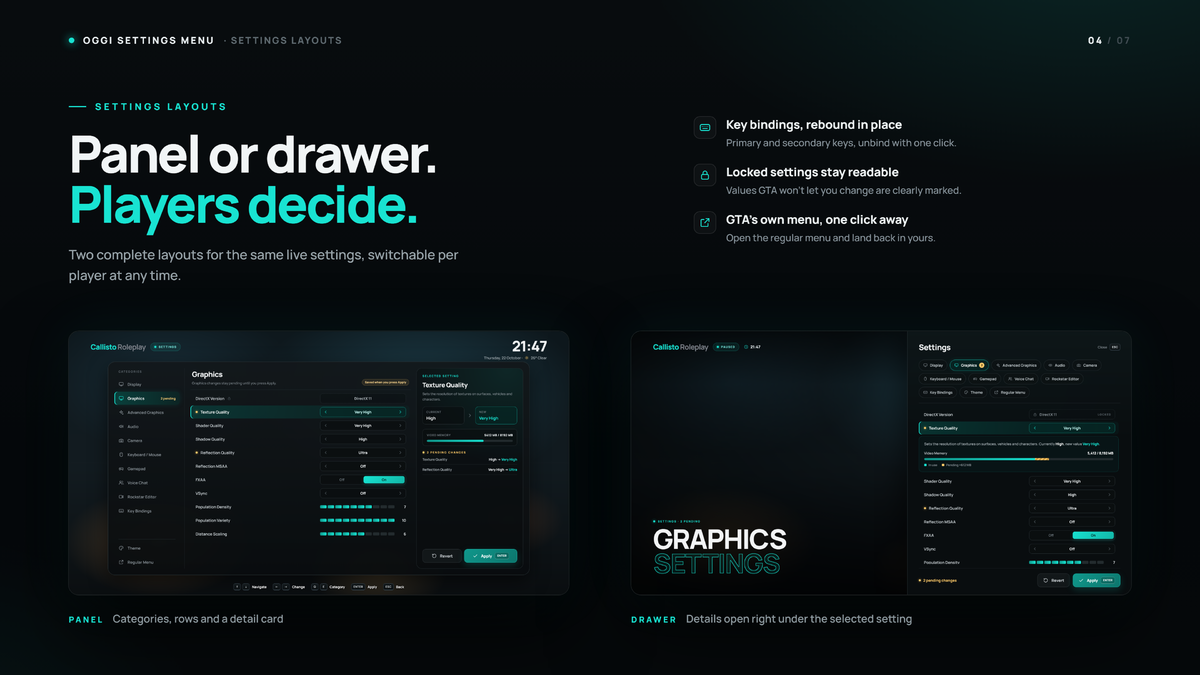
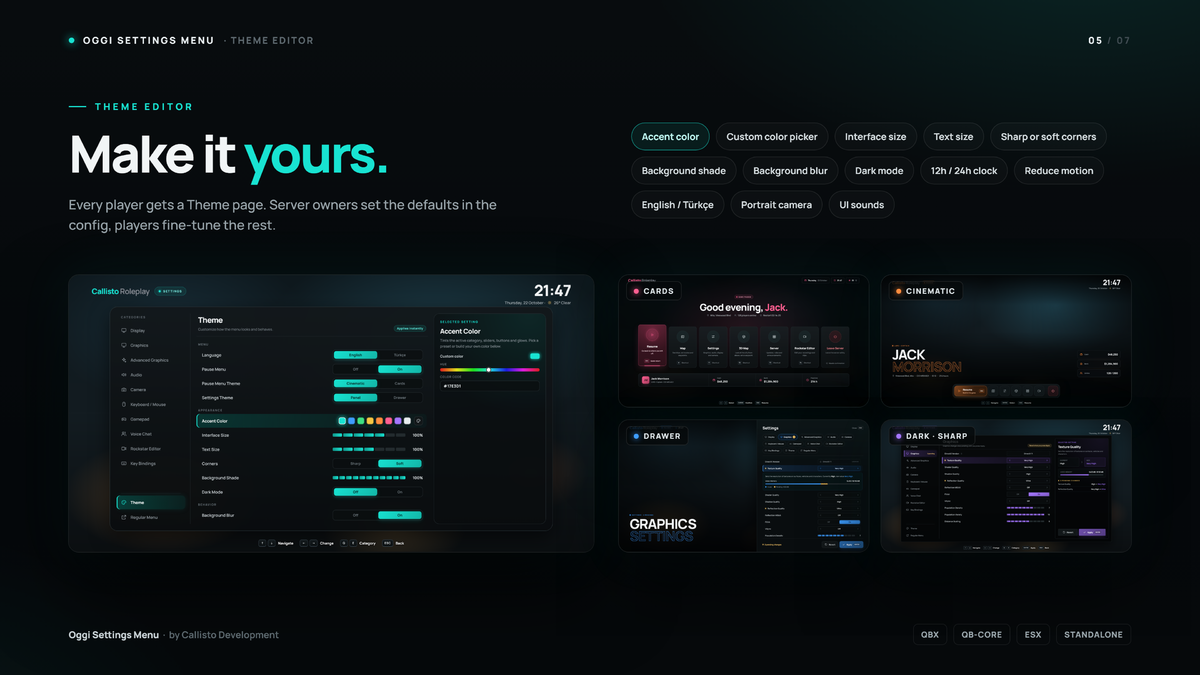
Players choose between a floating panel and a slide-in drawer layout. The Theme page lets every player pick the accent color (presets or a custom picker), interface and text size, sharp or soft corners, background shade and blur, dark mode, 12 or 24 hour clock, reduced motion, GTA menu sounds, a front-facing portrait camera and the 3D map return animation. Server owners set the defaults in the config, and players can reset to them at any time.
Map, 3D map and server page
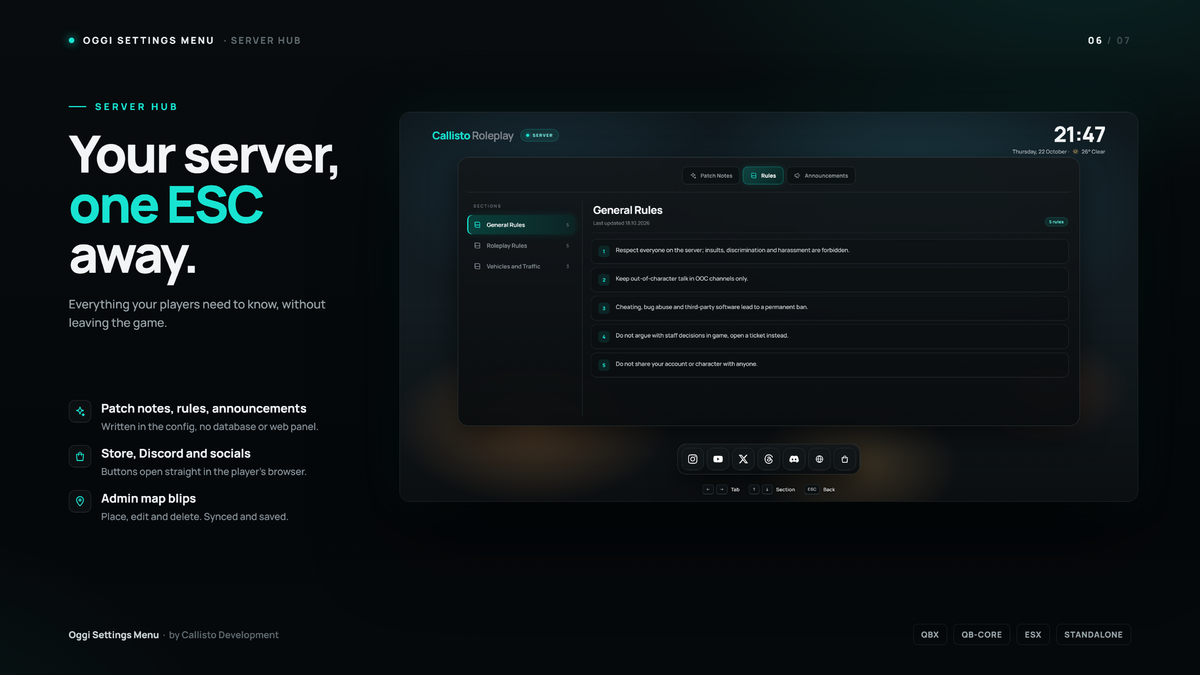
The map legend lists every blip on the server automatically, with search, hideable groups and a smart waypoint. The 3D city map lets players look at the city from above and set a waypoint. Admins can place, edit and delete map blips that every player sees. The server page shows patch notes, rules and announcements written in the config, plus buttons for your store, Discord and socials.
Administration and integration
English, Arabic, German, Spanish, French, Italian, Japanese, Korean, Dutch, Polish, Portuguese (Brazil), Turkish and Simplified Chinese. Every player picks their own language in the menu.
Compatibility and installation
Works with QBCore, Qbox, ESX, and standalone servers, the framework is detected automatically. Requires oxmysql and MySQL/MariaDB, and the table is created automatically. Only one ESC/pause menu resource should run at a time. The resource streams patched GTA menu files, so players need to fully restart FiveM once after it is installed or updated.
Everything a player changes is saved on the server. Every player can choose their own pause menu style, settings layout, colors and language from the in-game Theme page.
Hidden link for visitors, to see
Log in or register now.
Pause menu
Two pause menu styles are included. Cinematic shows the character name large on the left, a dock at the bottom and live cash, bank and online stats. Cards shows a greeting, large page cards with shortcut keys and a player bar. Both show the live clock, weather, location, playtime and a countdown to the next server restart. The pause screen can also be turned off, so ESC opens the settings directly.
Live GTA settings
The settings page reads GTA’s own settings and changes them in place: display, graphics, advanced graphics, audio, camera, keyboard and mouse, gamepad, voice chat and Rockstar Editor. Graphics changes wait for Apply like the native menu, with a current/new preview and a video memory bar that shows the cost before you apply. Primary and secondary key bindings can be changed or removed without leaving the menu. A Regular Menu button opens GTA’s own screen and returns to yours. GTA’s setting names are translated into the menu language.
Settings layouts and theme editor
Players choose between a floating panel and a slide-in drawer layout. The Theme page lets every player pick the accent color (presets or a custom picker), interface and text size, sharp or soft corners, background shade and blur, dark mode, 12 or 24 hour clock, reduced motion, GTA menu sounds, a front-facing portrait camera and the 3D map return animation. Server owners set the defaults in the config, and players can reset to them at any time.
Map, 3D map and server page
The map legend lists every blip on the server automatically, with search, hideable groups and a smart waypoint. The 3D city map lets players look at the city from above and set a waypoint. Admins can place, edit and delete map blips that every player sees. The server page shows patch notes, rules and announcements written in the config, plus buttons for your store, Discord and socials.
Administration and integration
- player choices are saved on the server per Rockstar license
- admin map blips are saved to MySQL/MariaDB and synced to every player
- ACE permission checks on the server, or your own check in an editable file
- oggi-hud, jg-hud and qbx_hud are hidden automatically while the menu is open, other HUDs can be added
- editable hooks for character info, opening the menu and leaving the server
- automatic recovery and a reset command if the menu ever gets stuck
English, Arabic, German, Spanish, French, Italian, Japanese, Korean, Dutch, Polish, Portuguese (Brazil), Turkish and Simplified Chinese. Every player picks their own language in the menu.
Compatibility and installation
Works with QBCore, Qbox, ESX, and standalone servers, the framework is detected automatically. Requires oxmysql and MySQL/MariaDB, and the table is created automatically. Only one ESC/pause menu resource should run at a time. The resource streams patched GTA menu files, so players need to fully restart FiveM once after it is installed or updated.
Hidden link for visitors, to see
Log in or register now.
Hidden link for visitors, to see
Log in or register now.
Hidden link for visitors, to see
Log in or register now.
Hidden link for visitors, to see
Log in or register now.