Security HUD
System Watchdog
×
Threads Scanned
-- / --
SYS. LOAD --%
AI SHIELD ACTIVE
DMCA Policy
×

📋 DMCA Compliance

This platform and community fully complies with the Digital Millennium Copyright Act (DMCA) and international copyright laws. We take all copyright protection seriously.

🛡️ Copyright Protection

If you believe a posted item belongs to you or violates your copyright, you may file a DMCA takedown request through our official channels. Upon receiving a valid claim, the infringing content will be removed within 24 hours.

What's new
×
Fiveguard

PAID [PAID] [ESX/QBCore/Standalone] Fivem Advanced Announcement - uniqers-announces

scriptstosc

Gold Elite
Joined
Jun 19, 2023
Messages
60
Reaction score
101
Points
256
Location
LS
uniqers-announces


[ShowCase]( )


Features

  • Auto announcement system that can be set via config.
  • Avatar and name feature and permission system for ESX-QB-STANDALONE.
  • Taking in-game photos.
  • Edit and delete announcements.
  • Reading long announcements with the e key.
  • Small and large announcement option.
  • Sound effect announcement and the ability to change the sound from config.
  • Admin panel has day and night mode.
  • User announcement page has day and night mode.
  • Emoji system.
  • Modern and stylish design.
  • Animated panel.
  • DB Saving and non-saving feature.
  • One animated latest announcement section.
  • Announcement options.
  • Announcement countdown and bar.
  • You can change and adjust every setting of the script features through the config.
  • You can translate every text in the script into your own language. You can do it via config.
  • The script works with the install and run logic and does not require anything.
  • It complies with Rockstar rules and does not contain any brand or brand images.
  • It is compatible with new and old qbcore, old and new esx and standalone you can choose it via config.
  • You can also select it via the database config you use. oxmysql-mysql-async
  • When you purchase the script, there is an install.txt file and it has a very simple installation explanation.
  • Future updates are free.
  • Video test it gamebuild 2944
  • This script video was shot at 1920x1080 resolution.
  • Tested on the latest up to date default qbcore server.
  • NEW UPDATE READY version ‘2.6.0’

    Added 2560x1402 resoulution.
Buying
[ESX/OLDESX]

[QBCore/QBUS]

[Standalone]

Config
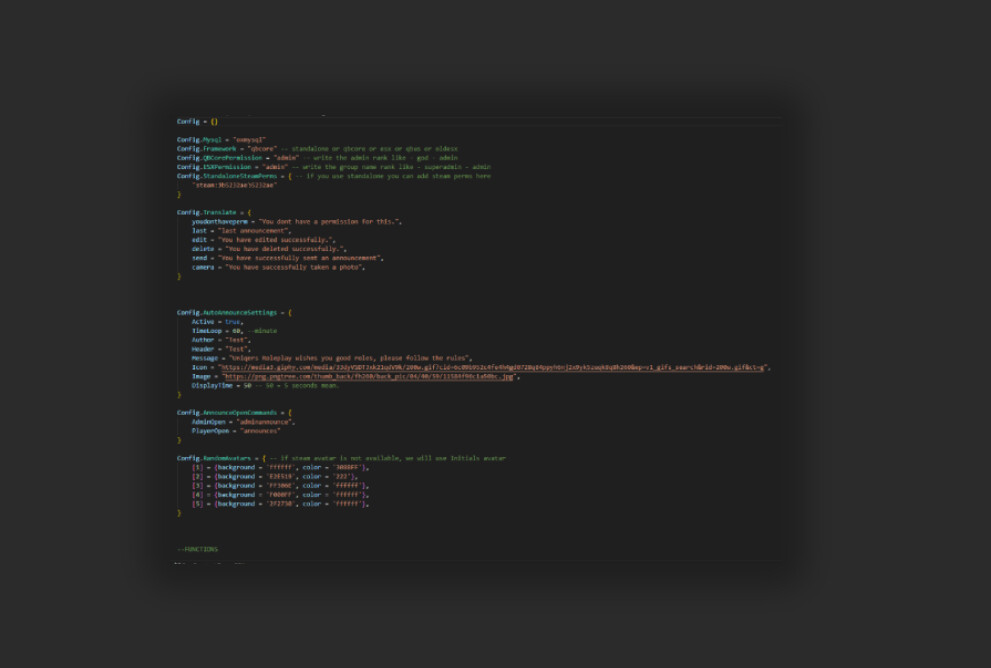
1699064639597.png


Store


OUR OTHER SCRIPTS


Also please contact us for questions and support.

New Update ready, customers can download via keymaster.
version 1.5
  • Fixed and updated Save selection option scrolling up.
  • All css updated and checked.
  • Special callback was applied for QBCore, ESX and Standalone, no bugs were observed.
  • A special notify system has been added for ESX-QBCORE-Standalone. You can select it from the config.
  • Added CustomNotify option.
  • Sound on/off has been added. You can now select the sound according to the small or big announcement from the config section.
  • The latest system is working stable and fluid, thank you.

NEW UPDATE READY version '3.1.0'

In this update, we updated the config code that allows Admins to access the panel. You will now be able to add unlimited groups instead of a single group via config.
For example, if you type admin group and staff group, both of them will be able to access the panel.

And if you are going to use the admin together feature, we have brought the following update.

For example, let's say admins and jobs use the panel.

If a player is an admin and does not have a job, he will be able to access the panel.
And if a player has a job and is not an admin, he will still be able to access it.
There is no need to be both admin and job anymore.

Code is accessibleNo
Subscription-basedNo
Lines (approximately)500+
RequirementsNo
SupportYes
 
Last edited:

scriptstosc

Gold Elite
Joined
Jun 19, 2023
Messages
60
Reaction score
101
Points
256
Location
LS
New Update ready, customers can download via keymaster.
version 1.5
  • Fixed and updated Save selection option scrolling up.
  • All css updated and checked.
  • Special callback was applied for QBCore, ESX and Standalone, no bugs were observed.
  • A special notify system has been added for ESX-QBCORE-Standalone. You can select it from the config.
  • Added CustomNotify option.
  • Sound on/off has been added. You can now select the sound according to the small or big announcement from the config section.
  • The latest system is working stable and fluid, thank you.
 

scriptstosc

Gold Elite
Joined
Jun 19, 2023
Messages
60
Reaction score
101
Points
256
Location
LS
We found out that our customer was getting this error because he didn’t have an avatar, so we made the following update. If the player does not have an avatar, the system will create and place an automatic avatar based on the first and last letters of his/her name. As in the example. Thank you for the report, the problem has been solved and the new update is ready. All customers can download 1.7 from keymaster. Also, update 2.0 is on the way.

1699280380305.png
 

scriptstosc

Gold Elite
Joined
Jun 19, 2023
Messages
60
Reaction score
101
Points
256
Location
LS
Full responsive all fivem resolutions are also compatible with fullhd, 2k, 3k, 4k and ultra wide.
There are options to decide who gets to share the announcement.
Admin can access it. ESX QB STANDALONE
Everyone should have access. ESX QB STANDALONE
Let the players on the list access it. ESX QB STANDALONE
professions can access. ESX QB
Those who pay should have access. ESX QB
Cooldown standby feature while sharing other announcement.
Selection of button or command to access the announcement sharing panel.
Config setting where you can translate every text of the entire script.
 

scriptstosc

Gold Elite
Joined
Jun 19, 2023
Messages
60
Reaction score
101
Points
256
Location
LS
NEW UPDATE READY version '2.4.0'
Notify export bug in ESX has been fixed.
Webhook has been added to the config section. You can add a webhook for the photos you take from your discord server.
A special system has been added for admins. If you are an admin, the admin page is private only for you, you can edit, delete, etc. on this page. On the page, the admin panel text is written as admin.
For example, if you allow professions to share announcements, announcements are shared only on their special page.
If you are both an admin and a permitted profession. You can still use your admin features. what you need to do
If you set the admin to true in the config and allow him to share it in his professions, set it to true and save it.
We added an option that makes sharing and saving big announcements exclusive to admins, so if you want admins to use this big announcement, you just need to set it to true in the config.
 

scriptstosc

Gold Elite
Joined
Jun 19, 2023
Messages
60
Reaction score
101
Points
256
Location
LS
NEW UPDATE READY version ‘2.5.0’
Emojis have been updated.
The database has been completely updated, please use the new database.
Client notify section has been updated.
 

scriptstosc

Gold Elite
Joined
Jun 19, 2023
Messages
60
Reaction score
101
Points
256
Location
LS
NEW UPDATE READY version ‘2.6.0’

Added 2560x1402 resoulution.
 

scriptstosc

Gold Elite
Joined
Jun 19, 2023
Messages
60
Reaction score
101
Points
256
Location
LS
1706269678768.png

NEW UPDATE READY version ‘2.7.0’
We added translate "BEFORE RECEIVING" at config.
We added hours and minutes translate to the config section. In this way, anyone who wants can show hours-minutes or leave it blank and hide it, as in the example in the two pictures.
 

scriptstosc

Gold Elite
Joined
Jun 19, 2023
Messages
60
Reaction score
101
Points
256
Location
LS
**NEW UPDATE READY version ‘2.7.0’**
**All the images used for the script used to be stored in the Discord repository. After Discord's link update, all images of the script will now be located in the img folder inside the script. All the pictures are included in the script, you can edit it as you like.**
 

scriptstosc

Gold Elite
Joined
Jun 19, 2023
Messages
60
Reaction score
101
Points
256
Location
LS
NEW UPDATE READY version ‘2.8.0’ We added cooldown save announces to.
 

scriptstosc

Gold Elite
Joined
Jun 19, 2023
Messages
60
Reaction score
101
Points
256
Location
LS
NEW UPDATE READY version '2.9.0'
In this update, we enabled the sharing of announcements to be used together with admin and another authorized service.
So, if you set Config.AdminTogether = true and Config.ListedJobsCan = true, both admins and those with jobs permission will be able to share announcements.

If you want only admins to use it, set Config.AdminCan = true and everything else to false.

Also, please set this feature Config.BigAnnForAdmins = true to Config.AdminTogether = true to use this feature.
For questions or support, just contact us.
 

scriptstosc

Gold Elite
Joined
Jun 19, 2023
Messages
60
Reaction score
101
Points
256
Location
LS
**NEW UPDATE READY version '3.0.0'**

**In this update, we added an additional feature to framework selection.**
**Now, upon the request of some of our customers, framework variants that use qbcore and esx infrastructure but have been renamed or have different names will be compatible with our scripts. All you have to do is add the name of your framework that uses these variations to the config. In this way, our scripts for variations will work.**

**here it is.**

```
Config.Framework = "qbcore" -- "qbcore" or "esx" or "qbus" or "oldesx" - if you need custom framework contact us
Config.CoreName = "QBCore" -- for qbcore = "QBCore", for qbus = "QBCore", for esx = "ESX", forold esx = "ESX", for qbcore or esx variation like ASDCore, Blabla core = "BLABLACore",
Config.CoreName2 = "qb-core" -- for qbcore = "qb-core", for qbus = "QBCore:GetObject", for esx = "es_extended", forold esx = "esx:getSharedObject", for qbcore or esx variation
```
 

scriptstosc

Gold Elite
Joined
Jun 19, 2023
Messages
60
Reaction score
101
Points
256
Location
LS
NEW UPDATE READY version '3.1.0'

In this update, we updated the config code that allows Admins to access the panel. You will now be able to add unlimited groups instead of a single group via config.
For example, if you type admin group and staff group, both of them will be able to access the panel.

And if you are going to use the admin together feature, we have brought the following update.

For example, let's say admins and jobs use the panel.

If a player is an admin and does not have a job, he will be able to access the panel.
And if a player has a job and is not an admin, he will still be able to access it.
There is no need to be both admin and job anymore.
 

scriptstosc

Gold Elite
Joined
Jun 19, 2023
Messages
60
Reaction score
101
Points
256
Location
LS
NEW UPDATE READY
WHEN YOU BUY THIS SCRIPT YOU WILL GET ESX-STANDALONE-QBCORE-CUSTOM VERSIONS!
 

scriptstosc

Gold Elite
Joined
Jun 19, 2023
Messages
60
Reaction score
101
Points
256
Location
LS
NEW UPDATE READY version ‘3.2.0’ In this update, qbcore’s permission function has been updated. Added a sample code for txadmin. into the readme file
 

scriptstosc

Gold Elite
Joined
Jun 19, 2023
Messages
60
Reaction score
101
Points
256
Location
LS
**NEW UPDATE READY version '3.4.0'**

annupdate.jpg

**In this update, we updated the avatar system.**

**We added avatar usage via Steam and Discord for ESX and standalone users.**
**You can choose steam or discord via config and use it accordingly.**
**You can choose the default in the picture.**
**If those who do not have a Discord or Steam avatar will have an avatar according to their name.**
 

scriptstosc

Gold Elite
Joined
Jun 19, 2023
Messages
60
Reaction score
101
Points
256
Location
LS
**NEW UPDATE READY version '3.5.0'**
Css design updated
 
Top