


# ATE Storage System
## Features
- Modern and responsive UI design
- Permission based storage system (Job, Gang, Personal)
- Storage locations with markers and teleport
- Search functionality
- Mobile friendly interface
- Multi-language support (EN/TR)
- Detailed logging system
- Easy configuration
## Dependencies
- [QBCore Framework](https://github.com/qbcore-framework)
- [ox_lib](https://github.com/overextended/ox_lib)
- [PolyZone](https://github.com/mkafrin/PolyZone)
## Installation
1. Download the resource
2. Place it in your resources folder
3. Add `ensure ate-stash` to your server.cfg
4. Configure the `config.lua` file to your liking
5. Restart your server
## Configuration
All configuration can be done through the `config.lua` file:
## Commands
- `/depo` - Opens the storage management menu (Admin only)
## Features
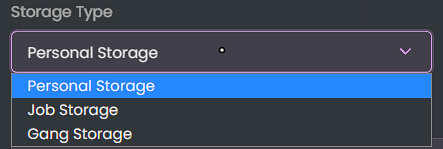
### Storage Types
- Personal Storage
- Job Storage
- Gang Storage
### Storage Management
- Create new storages
- Delete existing storages
- Set storage capacity
- Set storage permissions
- Teleport to storage location
- Mark storage on map
### UI Features
- Modern design
- Category filtering
- Search functionality
- Storage details view
- Responsive notifications
## Support
For support, please contact Ate through:
- Discord: [atedev.tebex.io]
- Tebex: [atedev]
## License
This resource is protected and requires valid purchase to use.
## Credits
Created by Ate
All rights reserved © 2024
> Note: This script is protected by FiveGuard. Only the config.lua file will be accessible for configuration.


Advanced storage management system for QBCore Framework. Create and manage storages with job, gang and personal permissions.You don't have permission to view content!
## Features
-
Modern and responsive UI design-
Permission based storage system (Job, Gang, Personal)-
Storage locations with markers and teleport-
Search functionality-
Mobile friendly interface-
Multi-language support (EN/TR)-
Detailed logging system-
Easy configuration## Dependencies
- [QBCore Framework](https://github.com/qbcore-framework)
- [ox_lib](https://github.com/overextended/ox_lib)
- [PolyZone](https://github.com/mkafrin/PolyZone)
## Installation
1. Download the resource
2. Place it in your resources folder
3. Add `ensure ate-stash` to your server.cfg
4. Configure the `config.lua` file to your liking
5. Restart your server
## Configuration
All configuration can be done through the `config.lua` file:
## Commands
- `/depo` - Opens the storage management menu (Admin only)
## Features
### Storage Types
- Personal Storage
- Job Storage
- Gang Storage
### Storage Management
- Create new storages
- Delete existing storages
- Set storage capacity
- Set storage permissions
- Teleport to storage location
- Mark storage on map
### UI Features
- Modern design
- Category filtering
- Search functionality
- Storage details view
- Responsive notifications
## Support
For support, please contact Ate through:
- Discord: [atedev.tebex.io]
- Tebex: [atedev]
## License
This resource is protected and requires valid purchase to use.
## Credits
Created by Ate
All rights reserved © 2024
> Note: This script is protected by FiveGuard. Only the config.lua file will be accessible for configuration.


