Security HUD
System Watchdog
×
Threads Scanned
-- / --
SYS. LOAD --%
AI SHIELD ACTIVE
DMCA Policy
×

📋 DMCA Compliance

This platform and community fully complies with the Digital Millennium Copyright Act (DMCA) and international copyright laws. We take all copyright protection seriously.

🛡️ Copyright Protection

If you believe a posted item belongs to you or violates your copyright, you may file a DMCA takedown request through our official channels. Upon receiving a valid claim, the infringing content will be removed within 24 hours.

What's new
×
Fiveguard

ARaros

Her zaman bir adım önde!
Gold Elite
Joined
Jun 29, 2021
Messages
181
Reaction score
70,745
Points
336
Location
USA/Los Angeles
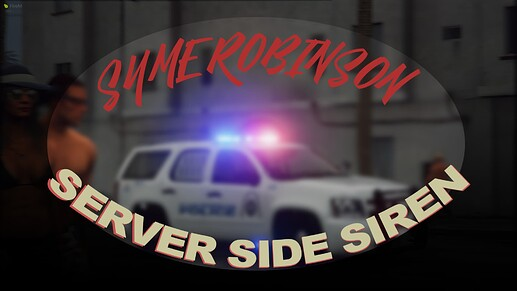
Syme Robinson’s Server-Sided Sirens
1627634646252.png

This is an extremely simple datafile I modified to allow players to use server-sided sirens.

Tools Used for Creation ( NOT REQUIRED FOR REGULAR USERS )
Open-IV ( Tool > Hex Hash Generator ) - You need hashes of the names of .wav files when editing to .rel file ( police_wail not policewail.wav )
- Used to extract .rel files to .xml files ( when going from .xml to .rel be sure to manually type the file extension in )
Notepad ++ - Used to modify the .oac files
Repl.it -https://replit.com/@symeRobinson/oac-printer#main.lua
Installation Instructions

  • Drag ‘svsirens-master’ to your resources directory
  • Replace the files in ‘svsirens/dlc_svsirens/oac/custom_sirens’ with the sirens you want added
    IMPORTANT REMINDER
    The siren names must match what is already in the custom_sirens folder, you cannot drag my_siren.wav into the folder, the game will not recognize it. The sirens must be exactly as they are named already, such as ‘ambu_horn.wav’ or ‘police_wail.wav’
    Additionally, you must not remove any of the sirens that are un-used, keep them in the folder.
  • Use OpenIV, turn on edit mode, import the .oac file into the same directory as the custom_sirens.awc file

    Luxart Config Help
    Look for
PlaySoundFromEntity(snd_lxsiren[veh], "VANILLA_SIREN", veh, 0, 0, 0)
This needs to be replaced TO
PlaySoundFromEntity(snd_lxsiren[veh], "POLICE_WAIL", veh, "DLC_SVSIRENS_SOUNDSET", 0, 0)
Change POLICE_WAIL for whatever siren you wish, repeat this process as many times as needed until all of your cars have the correct siren you want.


Download Here :
 
Joined
Sep 5, 2021
Messages
8
Reaction score
0
Points
156
Location
Germany
Was this tested before, cause when I tried it didn't work at all. Tried everything but nothing
 

hghghjuiy78yu

Member
Joined
Nov 30, 2021
Messages
7
Reaction score
1
Points
156
Location
sd
Syme Robinson’s Server-Sided Sirens
View attachment 1156
This is an extremely simple datafile I modified to allow players to use server-sided sirens.

Tools Used for Creation ( NOT REQUIRED FOR REGULAR USERS )
Open-IV ( Tool > Hex Hash Generator ) - You need hashes of the names of .wav files when editing to .rel file ( police_wail not policewail.wav )
- Used to extract .rel files to .xml files ( when going from .xml to .rel be sure to manually type the file extension in )
Notepad ++ - Used to modify the .oac files
Repl.it -https://replit.com/@symeRobinson/oac-printer#main.lua
Installation Instructions

  • Drag ‘svsirens-master’ to your resources directory
  • Replace the files in ‘svsirens/dlc_svsirens/oac/custom_sirens’ with the sirens you want added
    IMPORTANT REMINDER
    The siren names must match what is already in the custom_sirens folder, you cannot drag my_siren.wav into the folder, the game will not recognize it. The sirens must be exactly as they are named already, such as ‘ambu_horn.wav’ or ‘police_wail.wav’
    Additionally, you must not remove any of the sirens that are un-used, keep them in the folder.
  • Use OpenIV, turn on edit mode, import the .oac file into the same directory as the custom_sirens.awc file

    Luxart Config Help
    Look for

This needs to be replaced TO

Change POLICE_WAIL for whatever siren you wish, repeat this process as many times as needed until all of your cars have the correct siren you want.


Download Here :
*** Hidden text: cannot be quoted. ***
Pog
 

Ronaldus1999

Bronze Elite
Joined
Jan 15, 2022
Messages
23
Reaction score
2
Points
166
Location
Spijkenisse
Syme Robinson’s Server-Sided Sirens
View attachment 1156
This is an extremely simple datafile I modified to allow players to use server-sided sirens.

Tools Used for Creation ( NOT REQUIRED FOR REGULAR USERS )
Open-IV ( Tool > Hex Hash Generator ) - You need hashes of the names of .wav files when editing to .rel file ( police_wail not policewail.wav )
- Used to extract .rel files to .xml files ( when going from .xml to .rel be sure to manually type the file extension in )
Notepad ++ - Used to modify the .oac files
Repl.it -https://replit.com/@symeRobinson/oac-printer#main.lua
Installation Instructions

  • Drag ‘svsirens-master’ to your resources directory
  • Replace the files in ‘svsirens/dlc_svsirens/oac/custom_sirens’ with the sirens you want added
    IMPORTANT REMINDER
    The siren names must match what is already in the custom_sirens folder, you cannot drag my_siren.wav into the folder, the game will not recognize it. The sirens must be exactly as they are named already, such as ‘ambu_horn.wav’ or ‘police_wail.wav’
    Additionally, you must not remove any of the sirens that are un-used, keep them in the folder.
  • Use OpenIV, turn on edit mode, import the .oac file into the same directory as the custom_sirens.awc file

    Luxart Config Help
    Look for

This needs to be replaced TO

Change POLICE_WAIL for whatever siren you wish, repeat this process as many times as needed until all of your cars have the correct siren you want.


Download Here :
*** Hidden text: cannot be quoted. ***
 

Lytrox

Bronze Elite
Joined
Sep 10, 2021
Messages
11
Reaction score
2
Points
171
Location
l
Syme Robinson’s Server-Sided Sirens
View attachment 1156
This is an extremely simple datafile I modified to allow players to use server-sided sirens.

Tools Used for Creation ( NOT REQUIRED FOR REGULAR USERS )
Open-IV ( Tool > Hex Hash Generator ) - You need hashes of the names of .wav files when editing to .rel file ( police_wail not policewail.wav )
- Used to extract .rel files to .xml files ( when going from .xml to .rel be sure to manually type the file extension in )
Notepad ++ - Used to modify the .oac files
Repl.it -https://replit.com/@symeRobinson/oac-printer#main.lua
Installation Instructions

  • Drag ‘svsirens-master’ to your resources directory
  • Replace the files in ‘svsirens/dlc_svsirens/oac/custom_sirens’ with the sirens you want added
    IMPORTANT REMINDER
    The siren names must match what is already in the custom_sirens folder, you cannot drag my_siren.wav into the folder, the game will not recognize it. The sirens must be exactly as they are named already, such as ‘ambu_horn.wav’ or ‘police_wail.wav’
    Additionally, you must not remove any of the sirens that are un-used, keep them in the folder.
  • Use OpenIV, turn on edit mode, import the .oac file into the same directory as the custom_sirens.awc file

    Luxart Config Help
    Look for

This needs to be replaced TO

Change POLICE_WAIL for whatever siren you wish, repeat this process as many times as needed until all of your cars have the correct siren you want.


Download Here :
*** Hidden text: cannot be quoted. ***
ty
 

Jerkyds

Member
Joined
Feb 25, 2022
Messages
10
Reaction score
0
Points
166
Location
United States
Syme Robinson’s Server-Sided Sirens
View attachment 1156
This is an extremely simple datafile I modified to allow players to use server-sided sirens.

Tools Used for Creation ( NOT REQUIRED FOR REGULAR USERS )
Open-IV ( Tool > Hex Hash Generator ) - You need hashes of the names of .wav files when editing to .rel file ( police_wail not policewail.wav )
- Used to extract .rel files to .xml files ( when going from .xml to .rel be sure to manually type the file extension in )
Notepad ++ - Used to modify the .oac files
Repl.it -https://replit.com/@symeRobinson/oac-printer#main.lua
Installation Instructions

  • Drag ‘svsirens-master’ to your resources directory
  • Replace the files in ‘svsirens/dlc_svsirens/oac/custom_sirens’ with the sirens you want added
    IMPORTANT REMINDER
    The siren names must match what is already in the custom_sirens folder, you cannot drag my_siren.wav into the folder, the game will not recognize it. The sirens must be exactly as they are named already, such as ‘ambu_horn.wav’ or ‘police_wail.wav’
    Additionally, you must not remove any of the sirens that are un-used, keep them in the folder.
  • Use OpenIV, turn on edit mode, import the .oac file into the same directory as the custom_sirens.awc file

    Luxart Config Help
    Look for

This needs to be replaced TO

Change POLICE_WAIL for whatever siren you wish, repeat this process as many times as needed until all of your cars have the correct siren you want.


Download Here :
*** Hidden text: cannot be quoted. ***
gg thxz
 

Arootsy

Member
Joined
Mar 29, 2022
Messages
15
Reaction score
1
Points
166
Location
Middelburg
Syme Robinson’s Server-Sided Sirens
View attachment 1156
This is an extremely simple datafile I modified to allow players to use server-sided sirens.

Tools Used for Creation ( NOT REQUIRED FOR REGULAR USERS )
Open-IV ( Tool > Hex Hash Generator ) - You need hashes of the names of .wav files when editing to .rel file ( police_wail not policewail.wav )
- Used to extract .rel files to .xml files ( when going from .xml to .rel be sure to manually type the file extension in )
Notepad ++ - Used to modify the .oac files
Repl.it -https://replit.com/@symeRobinson/oac-printer#main.lua
Installation Instructions

  • Drag ‘svsirens-master’ to your resources directory
  • Replace the files in ‘svsirens/dlc_svsirens/oac/custom_sirens’ with the sirens you want added
    IMPORTANT REMINDER
    The siren names must match what is already in the custom_sirens folder, you cannot drag my_siren.wav into the folder, the game will not recognize it. The sirens must be exactly as they are named already, such as ‘ambu_horn.wav’ or ‘police_wail.wav’
    Additionally, you must not remove any of the sirens that are un-used, keep them in the folder.
  • Use OpenIV, turn on edit mode, import the .oac file into the same directory as the custom_sirens.awc file

    Luxart Config Help
    Look for

This needs to be replaced TO

Change POLICE_WAIL for whatever siren you wish, repeat this process as many times as needed until all of your cars have the correct siren you want.


Download Here :
*** Hidden text: cannot be quoted. ***
Nive script
 

RavenRAMIREZ

Member
Joined
Sep 24, 2022
Messages
4
Reaction score
0
Points
156
Location
France
Incomprehensible tutorial and video absolutely not related to the script please update it
 

harick

Silver Elite
Joined
Aug 22, 2022
Messages
44
Reaction score
12
Points
156
Location
poland
Syme Robinson’s Server-Sided Sirens
View attachment 1156
This is an extremely simple datafile I modified to allow players to use server-sided sirens.

Tools Used for Creation ( NOT REQUIRED FOR REGULAR USERS )
Open-IV ( Tool > Hex Hash Generator ) - You need hashes of the names of .wav files when editing to .rel file ( police_wail not policewail.wav )
- Used to extract .rel files to .xml files ( when going from .xml to .rel be sure to manually type the file extension in )
Notepad ++ - Used to modify the .oac files
Repl.it -https://replit.com/@symeRobinson/oac-printer#main.lua
Installation Instructions

  • Drag ‘svsirens-master’ to your resources directory
  • Replace the files in ‘svsirens/dlc_svsirens/oac/custom_sirens’ with the sirens you want added
    IMPORTANT REMINDER
    The siren names must match what is already in the custom_sirens folder, you cannot drag my_siren.wav into the folder, the game will not recognize it. The sirens must be exactly as they are named already, such as ‘ambu_horn.wav’ or ‘police_wail.wav’
    Additionally, you must not remove any of the sirens that are un-used, keep them in the folder.
  • Use OpenIV, turn on edit mode, import the .oac file into the same directory as the custom_sirens.awc file

    Luxart Config Help
    Look for

This needs to be replaced TO

Change POLICE_WAIL for whatever siren you wish, repeat this process as many times as needed until all of your cars have the correct siren you want.


Download Here :
*** Hidden text: cannot be quoted. ***
nice
 

FS1345

Bronze Elite
Joined
Feb 6, 2022
Messages
13
Reaction score
2
Points
166
Location
Taiwan
Syme Robinson’s Server-Sided Sirens
View attachment 1156
This is an extremely simple datafile I modified to allow players to use server-sided sirens.

Tools Used for Creation ( NOT REQUIRED FOR REGULAR USERS )
Open-IV ( Tool > Hex Hash Generator ) - You need hashes of the names of .wav files when editing to .rel file ( police_wail not policewail.wav )
- Used to extract .rel files to .xml files ( when going from .xml to .rel be sure to manually type the file extension in )
Notepad ++ - Used to modify the .oac files
Repl.it -https://replit.com/@symeRobinson/oac-printer#main.lua
Installation Instructions

  • Drag ‘svsirens-master’ to your resources directory
  • Replace the files in ‘svsirens/dlc_svsirens/oac/custom_sirens’ with the sirens you want added
    IMPORTANT REMINDER
    The siren names must match what is already in the custom_sirens folder, you cannot drag my_siren.wav into the folder, the game will not recognize it. The sirens must be exactly as they are named already, such as ‘ambu_horn.wav’ or ‘police_wail.wav’
    Additionally, you must not remove any of the sirens that are un-used, keep them in the folder.
  • Use OpenIV, turn on edit mode, import the .oac file into the same directory as the custom_sirens.awc file

    Luxart Config Help
    Look for

This needs to be replaced TO

Change POLICE_WAIL for whatever siren you wish, repeat this process as many times as needed until all of your cars have the correct siren you want.


Download Here :
*** Hidden text: cannot be quoted. ***
 

C3nSure

Gold Elite
Joined
Nov 30, 2021
Messages
162
Reaction score
158
Points
266
Location
Paris
Syme Robinson’s Server-Sided Sirens
View attachment 1156
This is an extremely simple datafile I modified to allow players to use server-sided sirens.

Tools Used for Creation ( NOT REQUIRED FOR REGULAR USERS )
Open-IV ( Tool > Hex Hash Generator ) - You need hashes of the names of .wav files when editing to .rel file ( police_wail not policewail.wav )
- Used to extract .rel files to .xml files ( when going from .xml to .rel be sure to manually type the file extension in )
Notepad ++ - Used to modify the .oac files
Repl.it -https://replit.com/@symeRobinson/oac-printer#main.lua
Installation Instructions

  • Drag ‘svsirens-master’ to your resources directory
  • Replace the files in ‘svsirens/dlc_svsirens/oac/custom_sirens’ with the sirens you want added
    IMPORTANT REMINDER
    The siren names must match what is already in the custom_sirens folder, you cannot drag my_siren.wav into the folder, the game will not recognize it. The sirens must be exactly as they are named already, such as ‘ambu_horn.wav’ or ‘police_wail.wav’
    Additionally, you must not remove any of the sirens that are un-used, keep them in the folder.
  • Use OpenIV, turn on edit mode, import the .oac file into the same directory as the custom_sirens.awc file

    Luxart Config Help
    Look for

This needs to be replaced TO

Change POLICE_WAIL for whatever siren you wish, repeat this process as many times as needed until all of your cars have the correct siren you want.


Download Here :
*** Hidden text: cannot be quoted. ***
 

Parasyntax

Bronze Elite
Joined
Aug 23, 2021
Messages
7
Reaction score
4
Points
156
Syme Robinson’s Server-Sided Sirens
View attachment 1156
This is an extremely simple datafile I modified to allow players to use server-sided sirens.

Tools Used for Creation ( NOT REQUIRED FOR REGULAR USERS )
Open-IV ( Tool > Hex Hash Generator ) - You need hashes of the names of .wav files when editing to .rel file ( police_wail not policewail.wav )
- Used to extract .rel files to .xml files ( when going from .xml to .rel be sure to manually type the file extension in )
Notepad ++ - Used to modify the .oac files
Repl.it -https://replit.com/@symeRobinson/oac-printer#main.lua
Installation Instructions

  • Drag ‘svsirens-master’ to your resources directory
  • Replace the files in ‘svsirens/dlc_svsirens/oac/custom_sirens’ with the sirens you want added
    IMPORTANT REMINDER
    The siren names must match what is already in the custom_sirens folder, you cannot drag my_siren.wav into the folder, the game will not recognize it. The sirens must be exactly as they are named already, such as ‘ambu_horn.wav’ or ‘police_wail.wav’
    Additionally, you must not remove any of the sirens that are un-used, keep them in the folder.
  • Use OpenIV, turn on edit mode, import the .oac file into the same directory as the custom_sirens.awc file

    Luxart Config Help
    Look for

This needs to be replaced TO

Change POLICE_WAIL for whatever siren you wish, repeat this process as many times as needed until all of your cars have the correct siren you want.


Download Here :
*** Hidden text: cannot be quoted. ***
 
Joined
Jan 1, 2022
Messages
1
Reaction score
0
Points
156
Location
United States of America
RequestScriptAudioBank("DLC_SVSIRENS\\CUSTOM_SIRENS", false)

Is this the correct prefix when requesting the audio file?
The Audio doesn't appear to be in game properly, all scripts functional and configured to work with this script.
 

Manuel06

Member
Joined
Nov 20, 2022
Messages
3
Reaction score
1
Points
156
Location
Germany
Syme Robinson’s Server-Sided Sirens
View attachment 1156
This is an extremely simple datafile I modified to allow players to use server-sided sirens.

Tools Used for Creation ( NOT REQUIRED FOR REGULAR USERS )
Open-IV ( Tool > Hex Hash Generator ) - You need hashes of the names of .wav files when editing to .rel file ( police_wail not policewail.wav )
- Used to extract .rel files to .xml files ( when going from .xml to .rel be sure to manually type the file extension in )
Notepad ++ - Used to modify the .oac files
Repl.it -https://replit.com/@symeRobinson/oac-printer#main.lua
Installation Instructions

  • Drag ‘svsirens-master’ to your resources directory
  • Replace the files in ‘svsirens/dlc_svsirens/oac/custom_sirens’ with the sirens you want added
    IMPORTANT REMINDER
    The siren names must match what is already in the custom_sirens folder, you cannot drag my_siren.wav into the folder, the game will not recognize it. The sirens must be exactly as they are named already, such as ‘ambu_horn.wav’ or ‘police_wail.wav’
    Additionally, you must not remove any of the sirens that are un-used, keep them in the folder.
  • Use OpenIV, turn on edit mode, import the .oac file into the same directory as the custom_sirens.awc file

    Luxart Config Help
    Look for

This needs to be replaced TO

Change POLICE_WAIL for whatever siren you wish, repeat this process as many times as needed until all of your cars have the correct siren you want.


Download Here :
*** Hidden text: cannot be quoted. ***
Do i need Luxart? Or can i use ELS because i have ELS CArs
 

snappers

Member
Joined
Apr 28, 2022
Messages
1
Reaction score
0
Points
156
Location
N/A
Syme Robinson’s Server-Sided Sirens
View attachment 1156
This is an extremely simple datafile I modified to allow players to use server-sided sirens.

Tools Used for Creation ( NOT REQUIRED FOR REGULAR USERS )
Open-IV ( Tool > Hex Hash Generator ) - You need hashes of the names of .wav files when editing to .rel file ( police_wail not policewail.wav )
- Used to extract .rel files to .xml files ( when going from .xml to .rel be sure to manually type the file extension in )
Notepad ++ - Used to modify the .oac files
Repl.it -https://replit.com/@symeRobinson/oac-printer#main.lua
Installation Instructions

  • Drag ‘svsirens-master’ to your resources directory
  • Replace the files in ‘svsirens/dlc_svsirens/oac/custom_sirens’ with the sirens you want added
    IMPORTANT REMINDER
    The siren names must match what is already in the custom_sirens folder, you cannot drag my_siren.wav into the folder, the game will not recognize it. The sirens must be exactly as they are named already, such as ‘ambu_horn.wav’ or ‘police_wail.wav’
    Additionally, you must not remove any of the sirens that are un-used, keep them in the folder.
  • Use OpenIV, turn on edit mode, import the .oac file into the same directory as the custom_sirens.awc file

    Luxart Config Help
    Look for

This needs to be replaced TO

Change POLICE_WAIL for whatever siren you wish, repeat this process as many times as needed until all of your cars have the correct siren you want.


Download Here :
*** Hidden text: cannot be quoted. ***
This looks great
 
Top