


Every emote menu has the same problem: a list of 1,500 names, and no idea what any of them do. /e airforce03: is that a salute? A stance? Players scroll, guess, quit and go back to using the same four emotes forever.
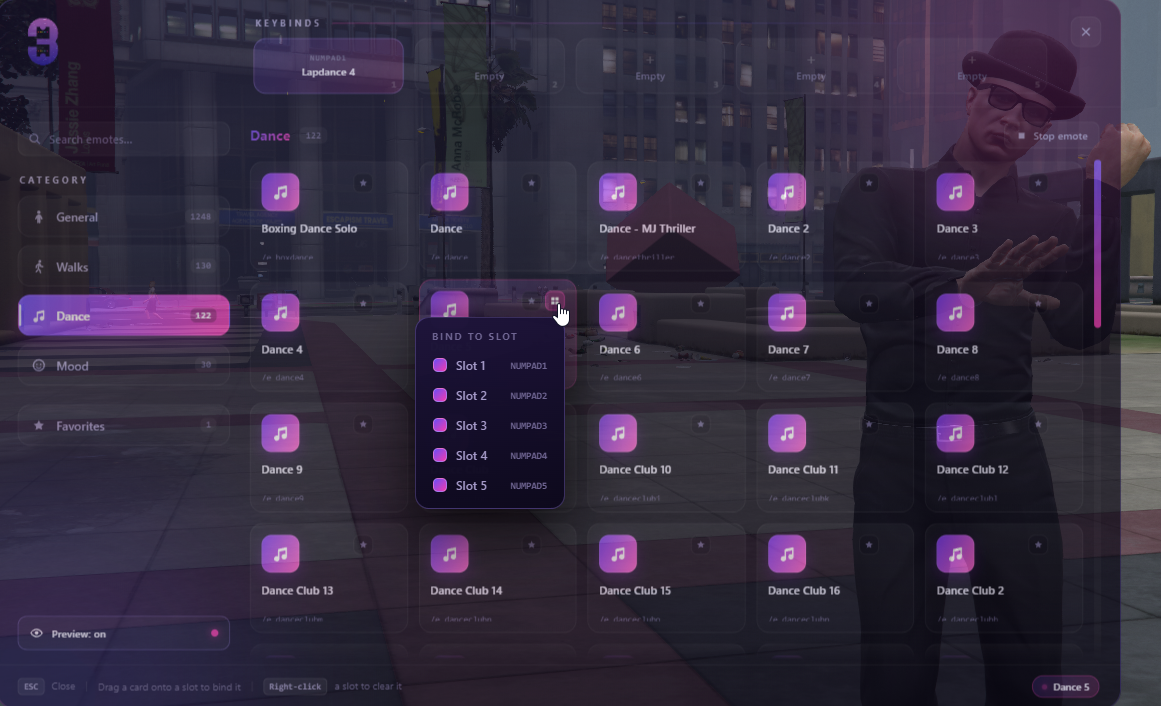
3PX Emotemenu solves that properly. Rest your cursor on any emote and it plays on your own character, framed by a dedicated preview camera, while the menu slides aside to let you watch. Move away and you're back exactly as you were, nothing stuck, nothing left running.
No pre-recorded clips. No GIF folder to maintain. No emote left unpreviewable. It works on the entire library the day you install it, and on every emote you add afterwards.
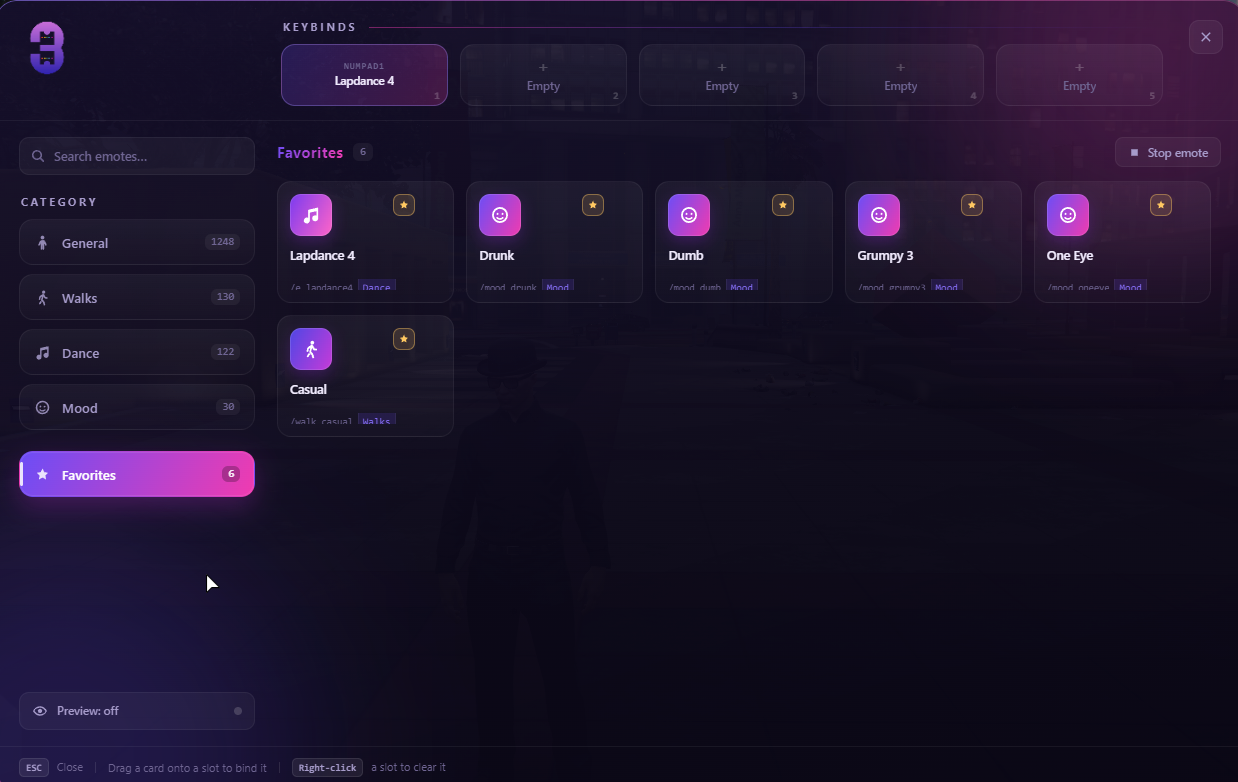
⬤ Five keybind quick slots Drag any emote card onto a slot along the top of the menu, or assign it from the card menu. Each slot gets its own rebindable FiveM key (NUMPAD1–5 by default) and fires instantly with the menu closed. Right-click a slot to clear it. Saved per character.
⬤ Favourites A star on every card. Favourites collect into their own category across emotes, walks, dances and moods, tagged so players know where each one came from. Saved per character, capped by config.
⬤ Search that actually searches Type anything and it searches all 1,500+ entries across every category at once: by display name or by command name. Debounced, instant, no lag on a full library.
⬤ Five clean categories General · Walks · Dance · Mood · Favorites. Cards are tagged PROP, FX, 2P (needs a second player) and 18+ at a glance, and prop emotes with colour options get a swatch picker so players choose the colour before it spawns.
⬤ Walk and mood that stick Pick a walk or an expression and it survives relog and respawn. Reset buttons built into each category.
This package contains the interface: the NUI, the preview system, quick slots, favourites and the storage layer. It does not contain emote animations or props.
It runs on top of RPEmotes: a free, open-source, community-maintained emote library that most QB servers already have installed. If you don't have it, it's a two-minute install from GitHub at no cost.
That's a deliberate design choice, and it works in your favour:
3PX Emotemenu solves that properly. Rest your cursor on any emote and it plays on your own character, framed by a dedicated preview camera, while the menu slides aside to let you watch. Move away and you're back exactly as you were, nothing stuck, nothing left running.
No pre-recorded clips. No GIF folder to maintain. No emote left unpreviewable. It works on the entire library the day you install it, and on every emote you add afterwards.
What your players get
⬤ Live preview on every emote Hover to see it. A dedicated camera frames your ped, the panel steps aside, and a badge shows what's playing. Walks apply the movement style and play it on the spot, so you can judge a walk standing still. Moods use a face-level close-up. Preview can be toggled off per player and the choice is remembered.⬤ Five keybind quick slots Drag any emote card onto a slot along the top of the menu, or assign it from the card menu. Each slot gets its own rebindable FiveM key (NUMPAD1–5 by default) and fires instantly with the menu closed. Right-click a slot to clear it. Saved per character.
⬤ Favourites A star on every card. Favourites collect into their own category across emotes, walks, dances and moods, tagged so players know where each one came from. Saved per character, capped by config.
⬤ Search that actually searches Type anything and it searches all 1,500+ entries across every category at once: by display name or by command name. Debounced, instant, no lag on a full library.
⬤ Five clean categories General · Walks · Dance · Mood · Favorites. Cards are tagged PROP, FX, 2P (needs a second player) and 18+ at a glance, and prop emotes with colour options get a swatch picker so players choose the colour before it spawns.
⬤ Walk and mood that stick Pick a walk or an expression and it survives relog and respawn. Reset buttons built into each category.
⚠ Read this before you buy
This is the menu, not the animations.This package contains the interface: the NUI, the preview system, quick slots, favourites and the storage layer. It does not contain emote animations or props.
It runs on top of RPEmotes: a free, open-source, community-maintained emote library that most QB servers already have installed. If you don't have it, it's a two-minute install from GitHub at no cost.
That's a deliberate design choice, and it works in your favour:
- You keep every custom emote you've already added — they show up in this menu automatically.
- You keep getting new emotes from RPEmotes' updates for free, and the menu picks them up with zero work.
- Your prop, particle, exit-emote and two-player logic is untouched and keeps behaving exactly as it does today.
Hidden link for visitors, to see
Log in or register now.
Last edited: