CosmicCrafts
Bronze Elite
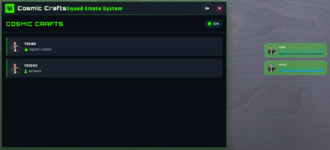
Elevate your FiveM roleplay experience with our comprehensive squad management system, designed for seamless tactical coordination.
This powerful yet lightweight resource provides real-time squad member tracking, intuitive health/armor HUD, and sophisticated ping communication.
Compatible with major frameworks (ESX/QBCore/Qbox) or standalone, it's the perfect solution for organized team operations, events, and immersive gameplay.
Resource monitor - (0.00 at idle - while in menu 0.02 max)
Features:
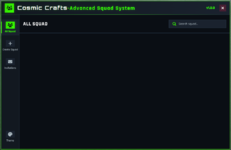
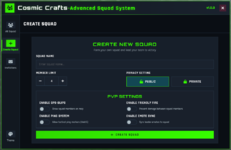
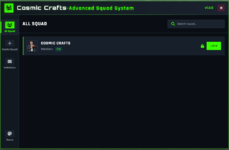
- High quality UI with interactable sounds
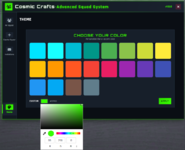
- Custom UI color change
- Team health and armor bar
- GPS blips
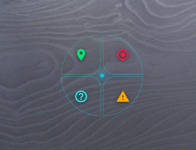
- Radial ping system
- Syncronized emote animation across players
- Monitor discord logs
- All this features can be configurable to show on/off in (.config.lua) file
Player Commands:
/squad — Open menu
/mysquad — Toggle squad HUD
/squademote <emote> — Leader: sync emote to squad
/invite <id> — Leader: invite player by server ID
Ping Menu:
Hold `E` to open radial (Go To, Enemy, Question, Warning). Release to place ping.
Keybinds:
Ping radial: Hold `E` (players can rebind in FiveM key bindings).
Frameworks / Notify:
Auto-detects ESX, QBCore, Qbox, or runs standalone.
Notifications via ESX/QBCore/ox_lib/okok or standalone fallback.
YouTube Video
 :
: Buy now:
Hidden link for visitors, to see
Log in or register now.
Discord:
Hidden link for visitors, to see
Log in or register now.
Images: