





nyrox01
Silver Elite
- Joined
- Dec 14, 2025
- Messages
- 27
- Reaction score
- 86
- Points
- 126
- Location
- Morocco
- Website
- roxdev.tebex.io
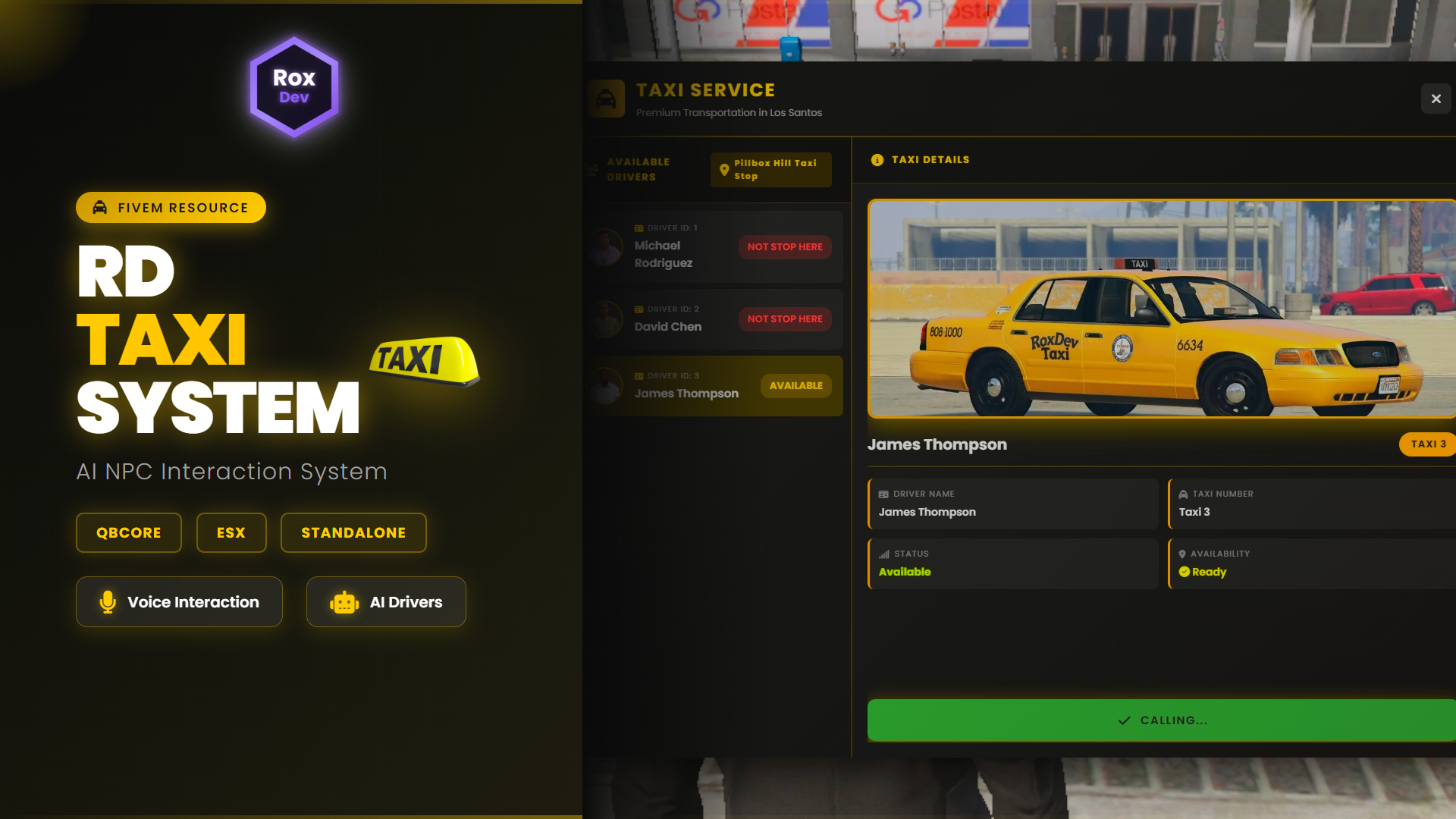
 Advanced AI NPC Taxi Service System for Your Server
RD-Taxi V1 is a complete, feature-rich AI NPC taxi service system designed specifically for immersive roleplay servers. Experience true AI interaction with intelligent taxi drivers, voice greetings, and a beautiful modern UI that brings your city to life.
 KEY FEATURES
 AI NPC Interaction System
- Unlimited AI Taxi Drivers - Create as many intelligent NPC drivers as you want
- Unique Personalities - Each driver has their own name, appearance, and voice
- Autonomous Behavior - AI drivers operate independently with realistic driving patterns
- Advanced Pathfinding - NPCs navigate city streets intelligently, avoiding traffic
- Auto Return-to-Spawn - Drivers automatically return to their taxi stops after trips
 Voice Interaction System
- 3D Positional Audio - Hear driver greetings that adjust volume based on distance
- Custom Voice Files - Assign unique voice lines to each AI driver
- Cinematic Immersion - Professional soundscape creates realistic atmosphere
- Per-Driver Control - Enable or disable voices for specific drivers
- Easy Integration - Add your own custom voice recordings
 Beautiful Modern UI
- Stunning Interface - Professional gradient design with smooth animations
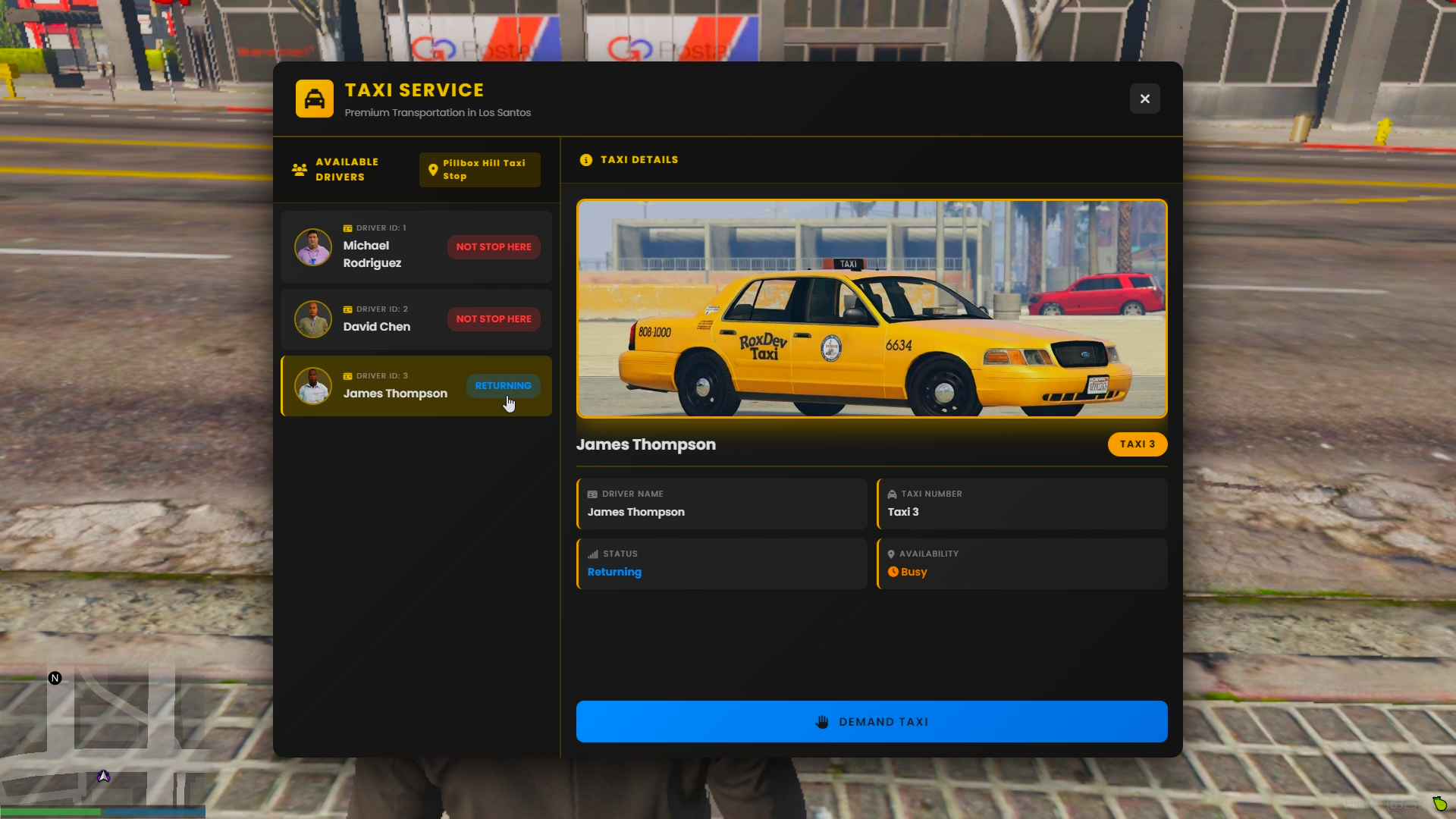
- Driver List Panel - View all available AI drivers with photos and live statuses
- Detailed Info Panel - See vehicle images, driver info, and real-time availability
- Color-Coded Status - Instantly recognize Available, En Route, Delivering, Returning states
- Responsive Design - Optimized for all screen resolutions
 Intelligent Demand System
- Reserve Busy Taxis - Demand specific AI drivers when they're returning or just finished
- Exclusive Access - Your reserved taxi won't accept other passengers
- Realistic Competition - Creates strategic gameplay between players
- Status Notifications - Real-time updates on your reserved driver
- Prevents Taxi Theft - Other players cannot call your reserved taxi
 Real-Time Tracking
- Map Blips - See taxi stops and moving taxis on your map
- Live Position Updates - Watch AI drivers navigate to you in real-time
- Configurable Visibility - Control which statuses show blips
- Custom Icons & Colors - Personalize blip appearance
- Waypoint Confirmation - Beautiful dialog to confirm destinations
 Payment System (Optional)
- Multi-Framework Support - Integrated with QBCore and ESX
- Flexible Timing - Charge on destination confirmation OR on arrival
- Configurable Fares - Set custom taxi prices
- Insufficient Funds Handling - Automatic kick with notifications
- Standalone Mode - Works without payment system enabled
 HOW IT WORKS
- Approach Taxi Stop - Walk to any configured taxi stop location across the map
- Open Menu - Press E to access the interactive taxi service panel
- Select Driver - Browse available AI drivers, view their status, vehicle info, and photos
- Call Taxi - Click "Call Taxi" - the AI driver receives your request and starts driving to you
- Enter Vehicle - When the taxi arrives, you'll hear the driver's voice greeting. Press G to enter
- Set Destination - Open your map and place a waypoint for your desired destination
- Confirm & Ride - Confirm your destination and enjoy the AI-driven ride to your location
- Exit & Pay - Arrive at your destination, exit the vehicle, and the AI driver automatically returns to their taxi stop
 WHAT YOU GET
 FULL SOURCE CODE - NO ESCROW, NO ENCRYPTION
 Full Lua, HTML, CSS, and JavaScript source files (100% editable)
 SQL database file with pre-configured table structure
 Installation guide with step-by-step instructions
 Detailed config.lua with extensive comments
- All UI assets (images, icons, fonts, graphics)
 Multi-framework support (QBCore/ESX/Standalone)
- 3D audio system implementation
- AI pathfinding and driving system
 PolyZone integration with distance fallback
 INSTANT DELIVERY
After purchase, you will receive a download link directly from Tebex. Simply:
- Complete your purchase on Tebex
- Check your email for the download link
- Download the ZIP file
- Install directly to your server
 QUICK INSTALLATION (Under 10 Minutes)
- Extract the ZIP file
- Rename folder to "rd-taxi"
- Place in your resources directory
- Configure framework in config.lua
- Add taxi stops and drivers in config
- Add "ensure rd-taxi" to server.cfg
- Start the resource - Done!
 PICTURES
CONFIG.LUA
Code:
Config = {}
Config.Framework = "" -- Options: "qbcore", "esx", "standalone"
Config.PaymentEnabled = true -- Enable payment system (only works with qbcore/esx)
Config.TaxiFare = 250 -- Amount to charge for taxi ride
Config.PaymentTiming = "" -- Options: "on_confirm" (when destination confirmed), "on_arrival" (when arrived at destination)
Config.TaxiBlipSprite = 198 -- Taxi blip
Config.TaxiBlipColor = 27
Config.TaxiBlipScale = 0.8
Config.RespectTrafficLights = false -- true = respect lights, false = ignore lights
Config.MovingTaxiBlipSprite = 56 -- Moving taxi icon
Config.MovingTaxiBlipColor = 5 -- Yellow for called taxi
Config.MovingTaxiBlipScale = 0.9
Config.ShowBlipWhenEnRoute = true -- Show blip when taxi coming to you
Config.ShowBlipWhenDelivering = true -- Show blip during trip
Config.ShowBlipWhenReturning = false -- Show blip when returning to spawn
Config.WaypointTimeout = 180 -- 3 minutes to select waypoint or get kicked
Config.CooldownAfterKick = 600 -- 10 minutes cooldown after being kicked
Config.ExitTimeout = 240 -- 4 minutes to exit after delivery
Config.ReservedTimeout = 150 -- 2.5 minutes for reserved player to enter
Config.UpdateInterval = 1000 -- Status update interval (1 second)
Config.TaxiStops = {
{
name = "taxi_stop_1",
label = "Downtown Taxi Stop",
coords = vector3(257.14, -1118.76, 29.33),
size = vector2(2, 5),
heading = 0,
spawnCoords = vector4(257.34, -1123.95, 29.21, 82.90)
},
{
name = "taxi_stop_2",
label = "Legion Square Taxi Stop",
coords = vector3(304.17, -765.07, 29.31),
size = vector2(5, 2),
heading = 340,
spawnCoords = vector4(307.50, -766.10, 29.25, 161.98)
},
{
name = "taxi_stop_3",
label = "Pillbox Hill Taxi Stop",
coords = vector3(-250.17, -887.1, 30.62),
size = vector2(2, 5),
heading = 340,
spawnCoords = vector4(-247.94, -881.84, 30.62, 69.55)
},
{
name = "taxi_stop_4",
label = "Little Seoul Taxi Stop",
coords = vector3(-558.13, -848.97, 27.58),
size = vector2(2, 5),
heading = 0,
spawnCoords = vector4(-565.0, -850.0, 27.5, 0.0)
}
}
Config.TaxiDrivers = {
{
id = 1,
name = "Michael Rodriguez",
pedModel = "a_m_m_tourist_01",
driverImage = "driver1.png",
vehicleModel = "taxi",
vehicleImage = "taxi.png",
voiceFile = "driver1.mp3", -- Voice when arriving (set to "none" to disable)
color = {r = 255, g = 215, b = 0},
assignedStop = "taxi_stop_1"
},
{
id = 2,
name = "David Chen",
pedModel = "a_m_y_business_01",
driverImage = "driver2.png",
vehicleModel = "taxi",
vehicleImage = "taxi.png",
voiceFile = "driver2.mp3", -- Voice when arriving (set to "none" to disable)
color = {r = 255, g = 204, b = 0},
assignedStop = "taxi_stop_2"
},
{
id = 3,
name = "James Thompson",
pedModel = "a_m_m_business_01",
driverImage = "driver3.png",
vehicleModel = "taxi",
vehicleImage = "taxi.png",
voiceFile = "driver3.mp3", -- Voice when arriving (set to "none" to disable)
color = {r = 255, g = 183, b = 0},
assignedStop = "taxi_stop_3"
}
}
Config.HelpText = "Press ~INPUT_CONTEXT~ to view available taxis"
Config.Status = {
AVAILABLE = "available",
EN_ROUTE = "en_route",
DELIVERING = "delivering",
JUST_FINISHED = "just_finished",
RETURNING = "returning"
} RESOURCE INFORMATION
Performance
- Optimized Performance - Minimal server impact with efficient threading
- Smart Wait Times - Dynamic thread management
- Clean Code Structure - Easy to read and modify
- Network Synced - Proper vehicle and NPC handling
- No Lag - Runs smoothly even with multiple active taxis
Framework Compatibility
- QBCore - Full support with auto-detection
- ESX - Full support with auto-detection
- Standalone - Works without any framework (payment disabled)
- No Manual Switching - Automatically detects your framework
Requirements
- Optional: PolyZone (fallback distance detection included)
- No screenshot-basic required
- Uses native GTA vehicle and ped systems
 IMPORTANT NOTES:
- No Refunds: Digital products are non-refundable after download
- No Reselling: You may not resell, redistribute, or share this resource
- No Support: This is a source code sale - you're responsible for installation and configuration
- Framework Compatibility: Works with QBCore/ESX/Standalone out of the box
- Voice Files: You can record your own or use text-to-speech (examples not included)
- Images: Placeholder images included, custom images recommended for best experience
 PERFECT FOR
 Roleplay Servers - Realistic public transportation with AI NPCs
 Racing Servers - Quick travel system between locations
- Economy Servers - Player-paid taxi service for immersion
 Community Servers - Fun and convenient transportation
 Training Servers - Learn AI NPC interaction scripting
 City RP - Bring your Los Santos to life with AI services
 COMING IN V2.0
- AI Driver Conversations - NPCs talk during rides
- Multiple Stops - Route system with multiple destinations
- Taxi Meter Display - Live fare calculation in UI
- Rating System - Players rate drivers
- Driver Tips - Optional tipping system
- Advanced AI Behavior - Radio chatter, phone calls
- Company Management - Player-owned taxi businesses
Ready to bring intelligent AI taxi drivers to your server? Get RD-Taxi today!
 GET RD-TAXI V1

Hidden link for visitors, to see
Log in or register now.
 Community Feedback
RD-Taxi V1 is the first release your feedback shapes what comes next. Drop a reply below with:
 Bugs or issues you encountered
 Ideas and suggestions for V2.0
 General feedback on the resource
Every report helps make this better. Let's build V2.0 together!
Developed by RoxDev | Version 1.0.0 | © 2026