Hidden link for visitors, to see
Log in or register now.
Hidden link for visitors, to see
Log in or register now.
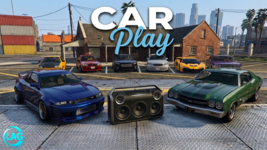
 0Lag CarPlay
Elevate your vehicle experience with 0Lag CarPlay. This is a premium, all-in-one digital dashboard designed for FiveM, combining advanced vehicle control, real-time diagnostics, and a fully synchronized multimedia system into one seamless interface. Premium Glassmorphism Design
Experience a modern interface built with high-quality Liquid Glass principles. Featuring semi-transparent backgrounds, sleek blur effects, and smooth CSS transitions, the UI provides a "Premium Tablet" feel that integrates perfectly into any high-quality server environment. Performance & Technical Excellence
- 0.00ms Resmon: Highly optimized resource management ensures zero impact on your server latency or player FPS.
- Modern Codebase: Built with Lua 5.4 and a high-performance frontend for lightning-fast responsiveness.
- Smart Synchronization: Powered by xSound integration, ensuring that music, vehicle states, and diagnostic data are perfectly synced between the driver and all passengers in real-time.
 Advanced Features
- Comprehensive Music Hub (xSound Powered): Stream directly via YouTube links. Featuring a dynamic queue system, volume sliders, and a "Favorite Tracks" library that saves your preferences.
- Live Navigation System: A built-in map module that displays your current location and active waypoints in real-time.
- Vehicle Intelligence Center: Monitor live telemetry including speed (Km/h), fuel levels (supporting LegacyFuel, ps-fuel, and ox_fuel), and real-time engine health (Car Crash diagnostics).
- Interactive Vehicle Control: Quick-access toggles for engine status, door locks, seatbelts, and lighting directly from the home screen.
- Dynamic Weather & Time: Integrated status bar showing current in-game time and localized weather conditions.
 Fluid Control & UI
- Seat Management: Interactive seat selection UI allowing players to manage cabin positioning with ease.
- Intuitive Navigation: Side-bar navigation for quick switching between Home, Music, Map, and Vehicle sub-menus.
- Modern Transitions: Custom-coded opacity and visibility transitions for a professional, "app-like" feel.
 Compatibility & Requirements
- Required Dependency:
Hidden link for visitors, to see Log in or register now.(for advanced audio synchronization).
- Framework Ready: Deep integration for QB-Core, ESX, and QBox, while remaining fully functional as a Standalone resource.
- Multi-Language Support: Fully localized via locales/ files, supporting English, Turkish, and more.
- Plug-and-Play: Simple installation. Drop the resource, configure your settings in config.lua, and use the /carplay command to begin.
 The 0Lag Standard
True to the 0Lag Studio philosophy, this script focuses on "Clean Code, Zero Lag." We provide professional-grade resources for servers that demand the highest quality UI without sacrificing performance.
Hidden link for visitors, to see
Log in or register now.