


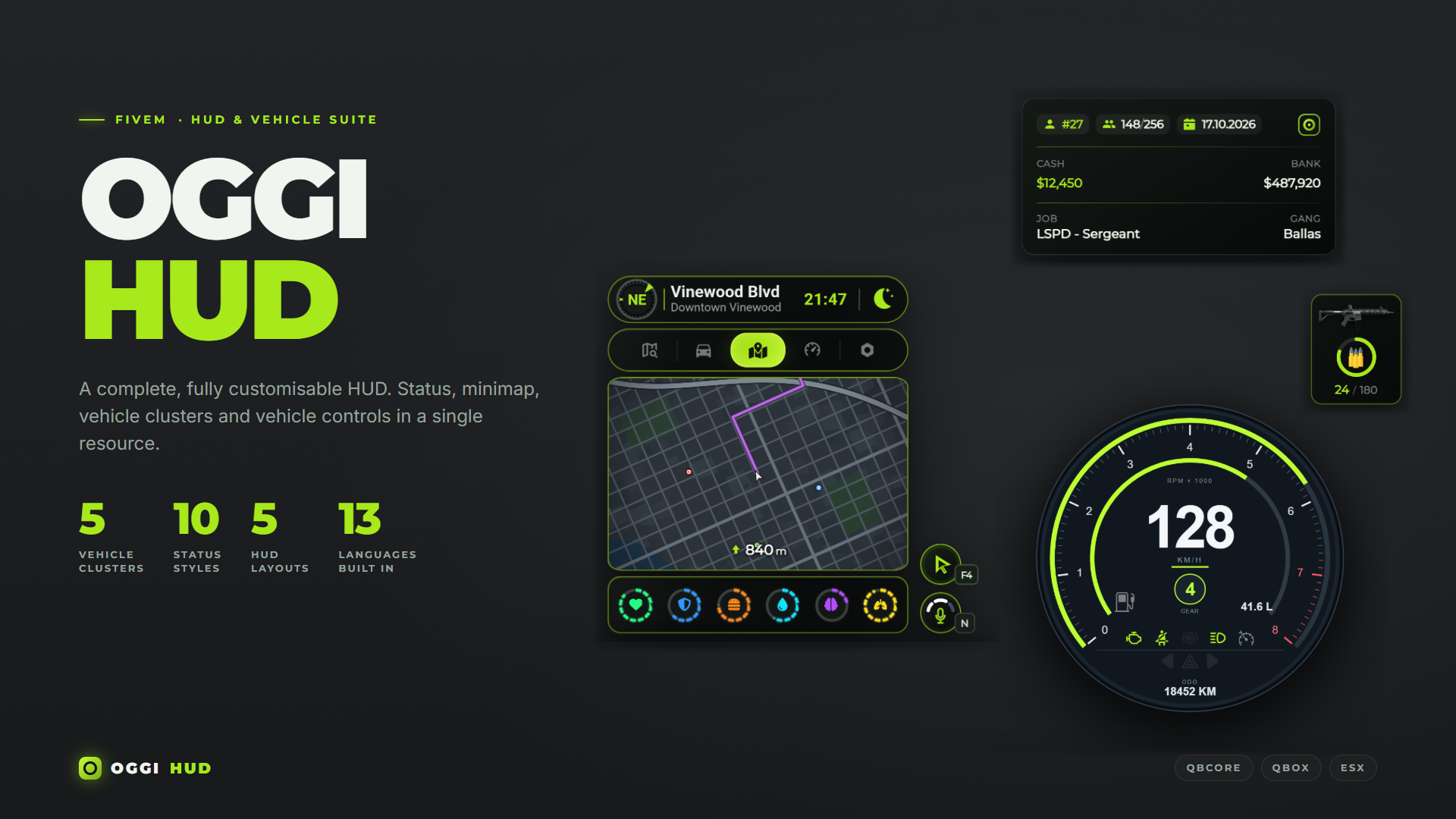
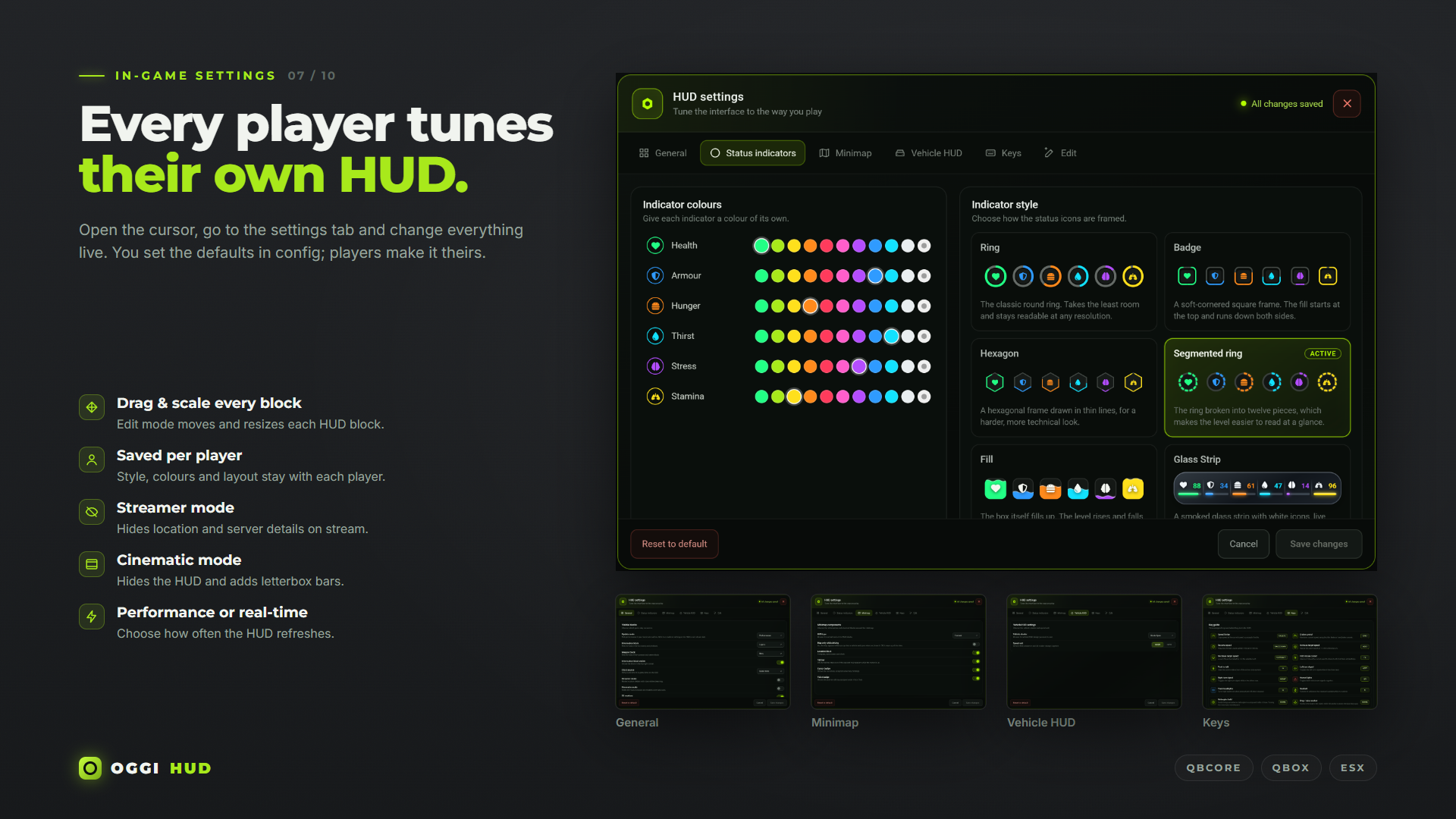
OGGI HUD is a customizable HUD for FiveM. Players choose their own layout, status style and vehicle cluster from the in-game settings menu, then move and resize each part of the HUD with the built-in editor.
Every choice is saved per player, so two players on the same server can have completely different HUDs.
Layouts and statuses
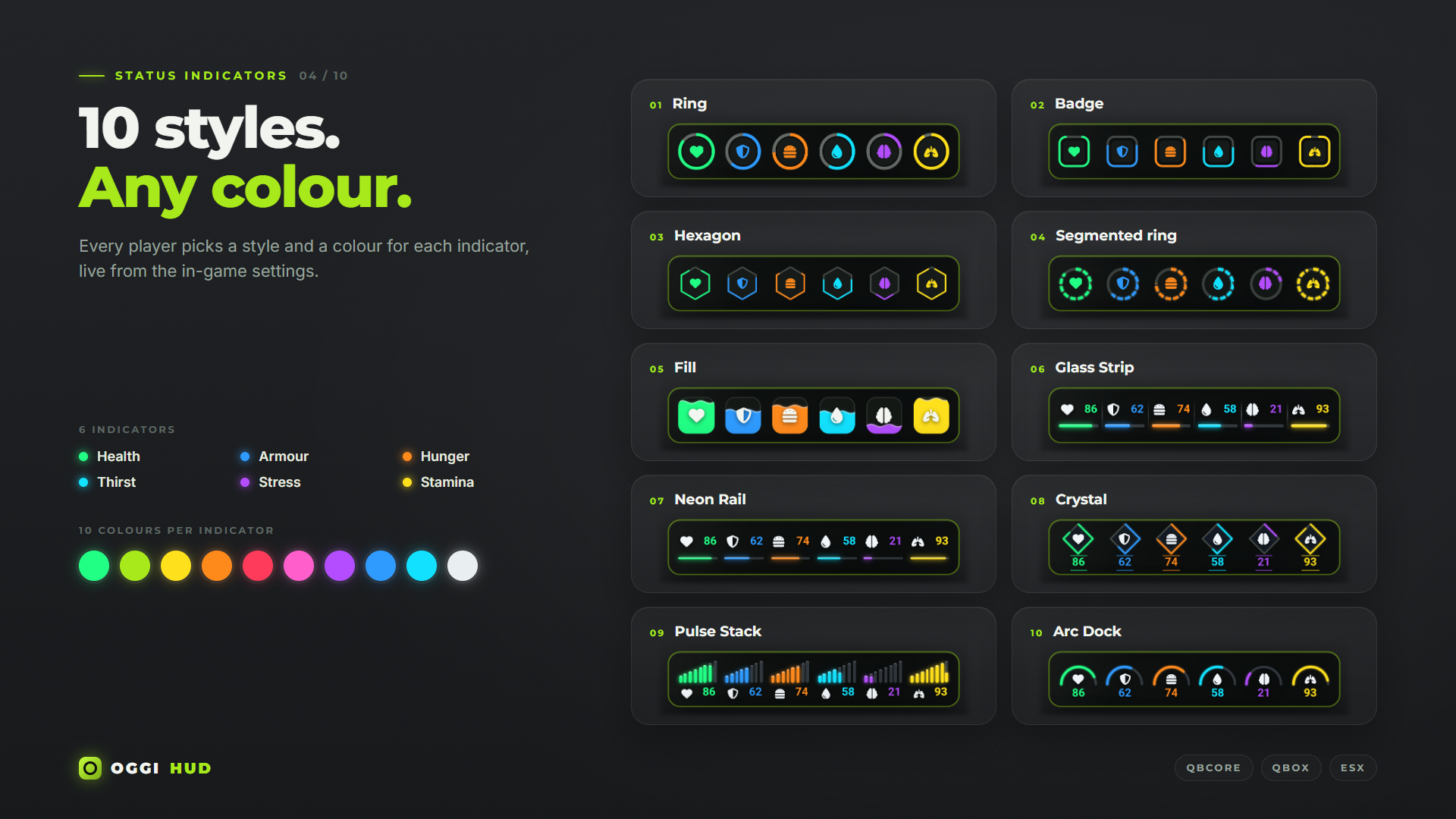
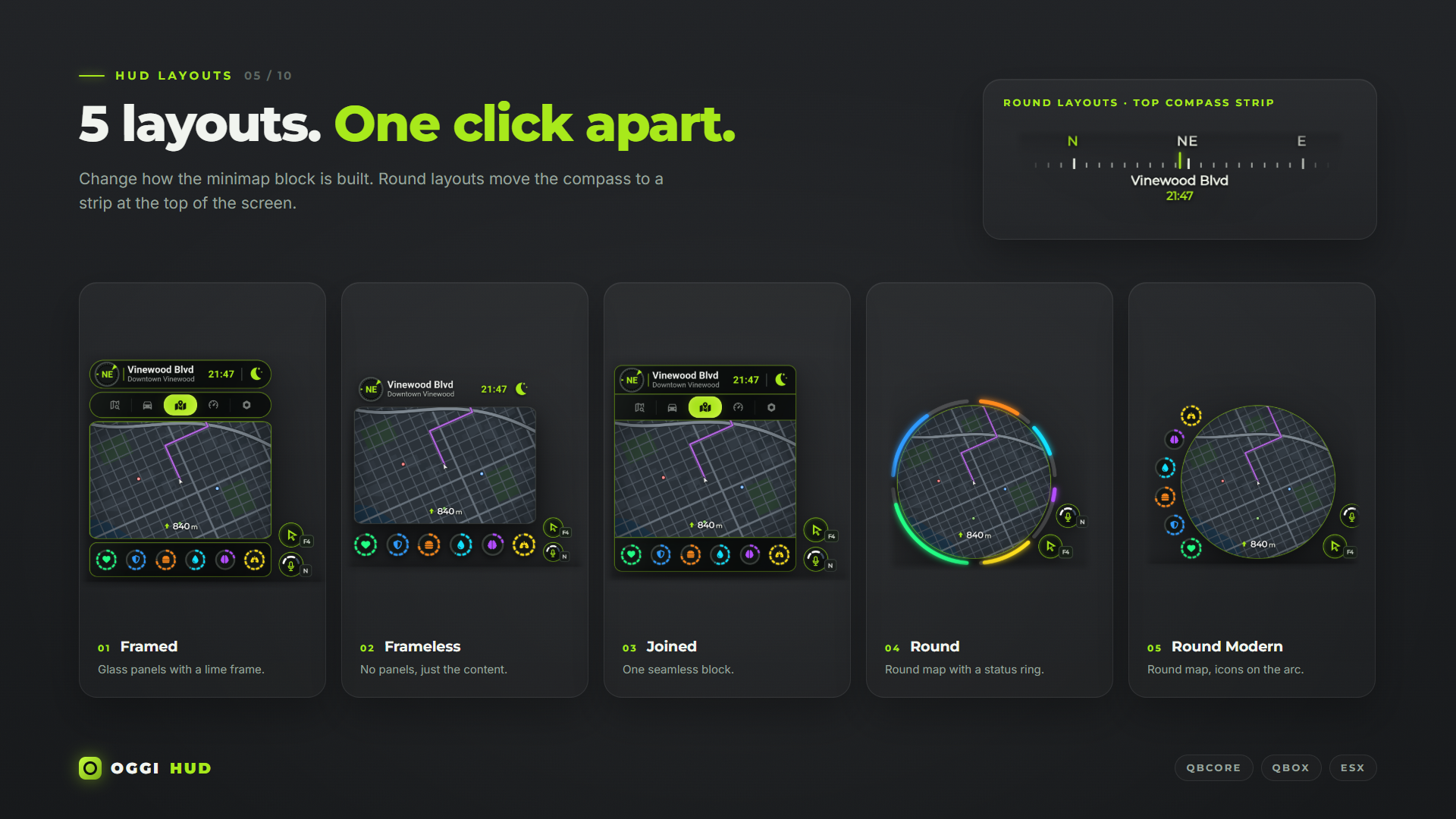
The HUD comes with five layouts: Framed, Frameless, Joined, Round and Round Modern. Health, armor, hunger, thirst, stress and stamina can be shown in ten different styles, and each status can use its own color. Statuses blink when they drop to a critical level.
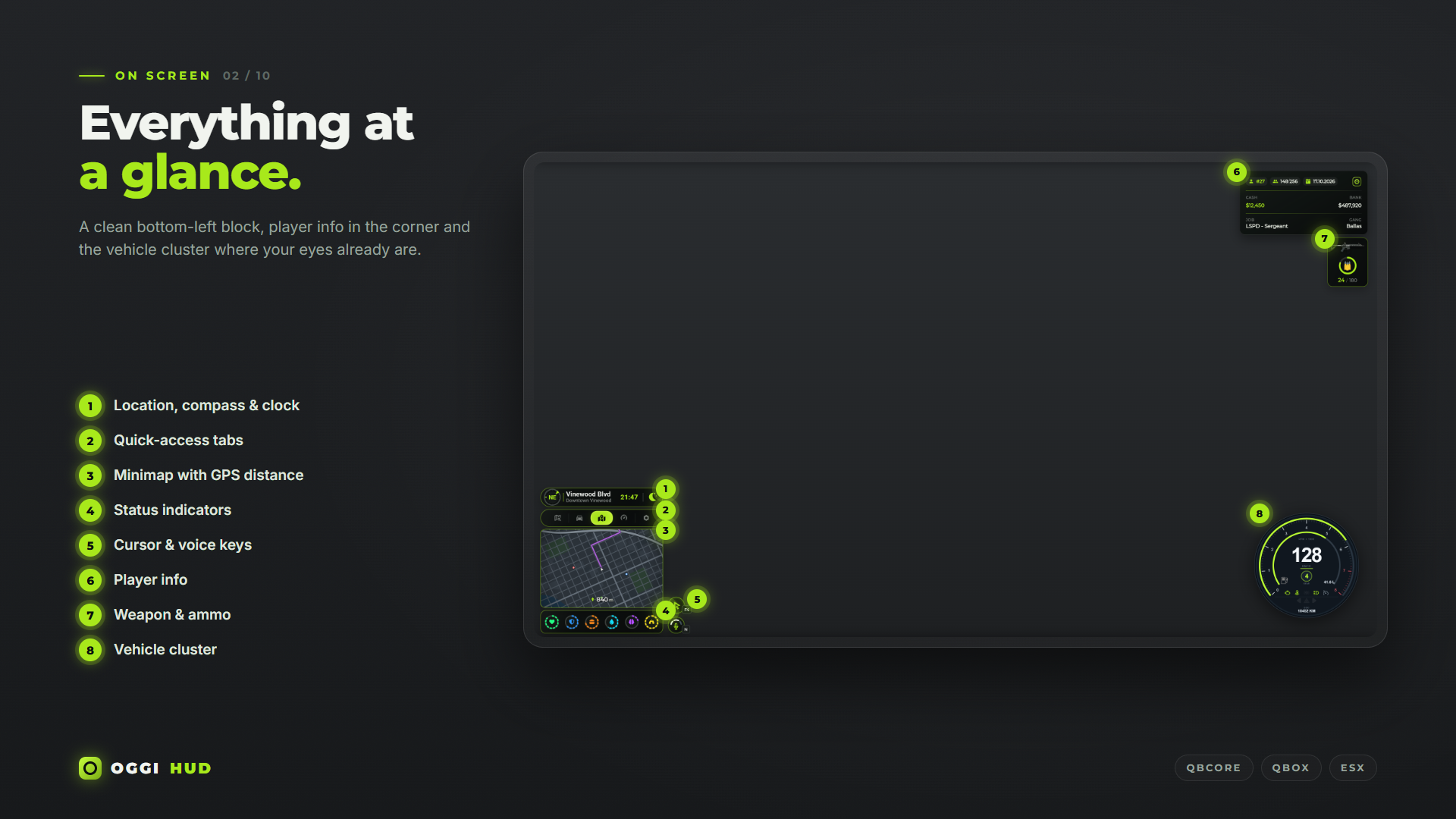
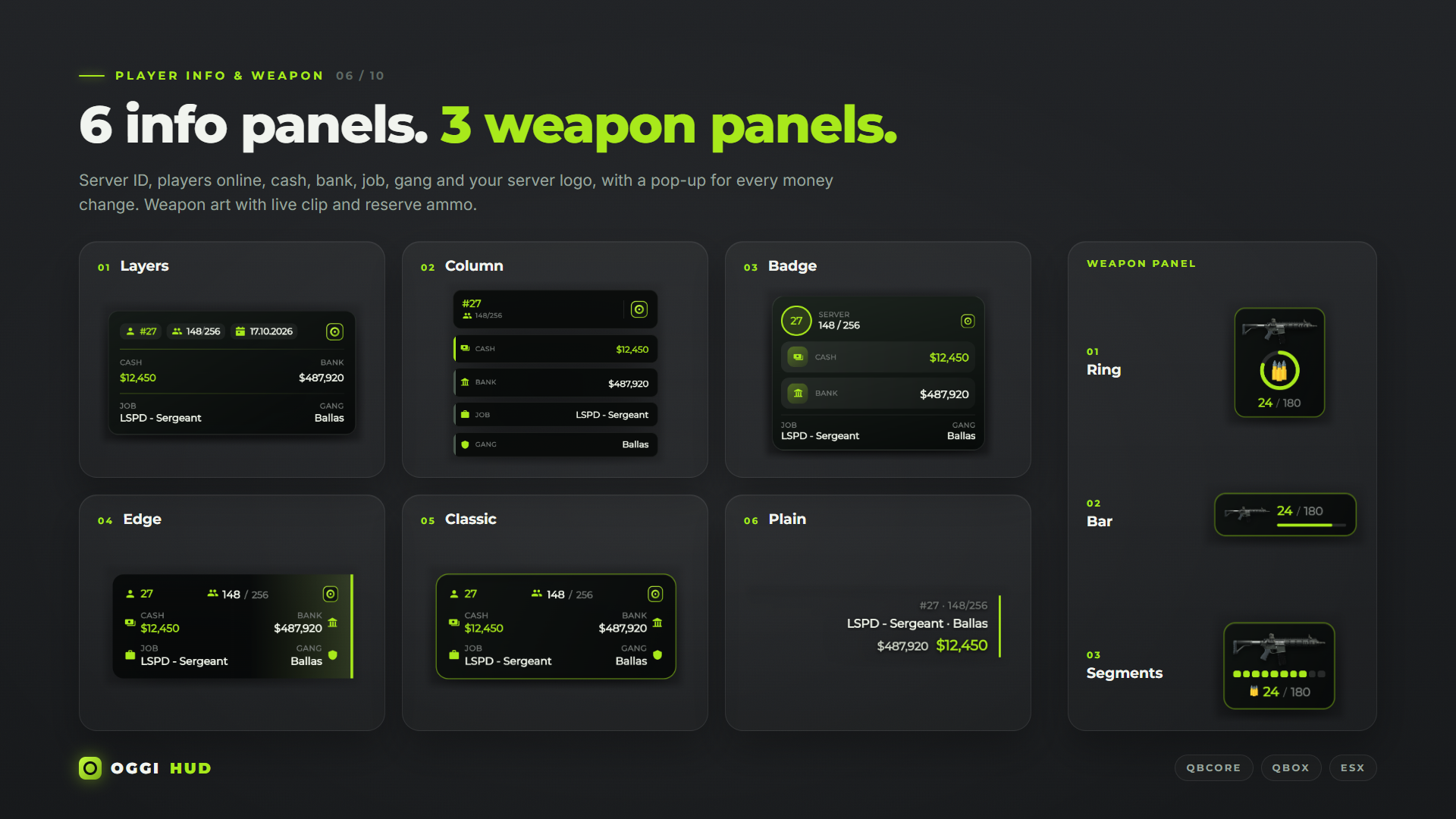
The location panel shows the compass, street, area and clock, using either game time or real time. The info panel shows server ID, player count, cash, bank, job and gang, with six styles to choose from. A weapon HUD shows clip and reserve ammo in three styles.
Vehicle HUDs
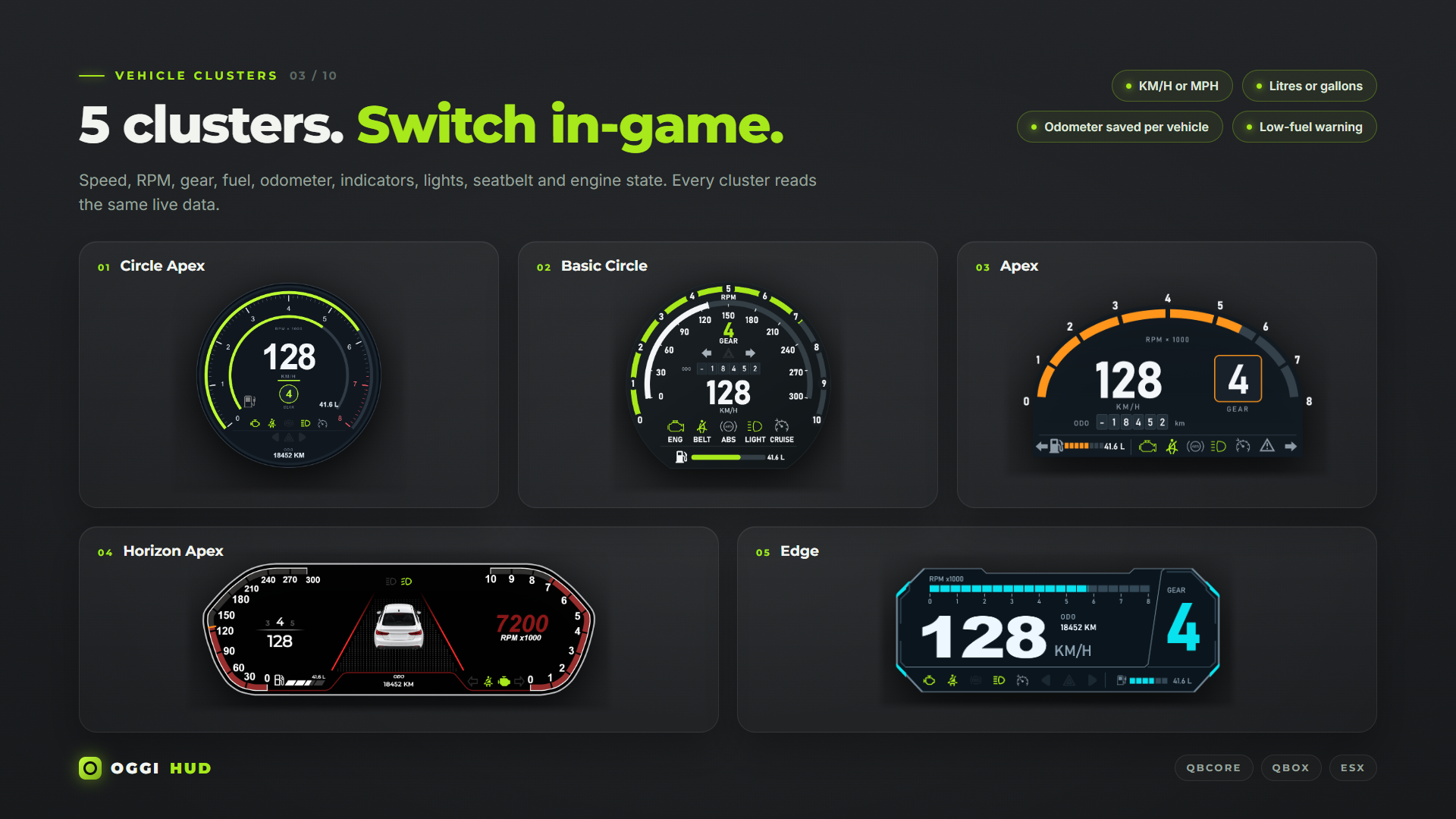
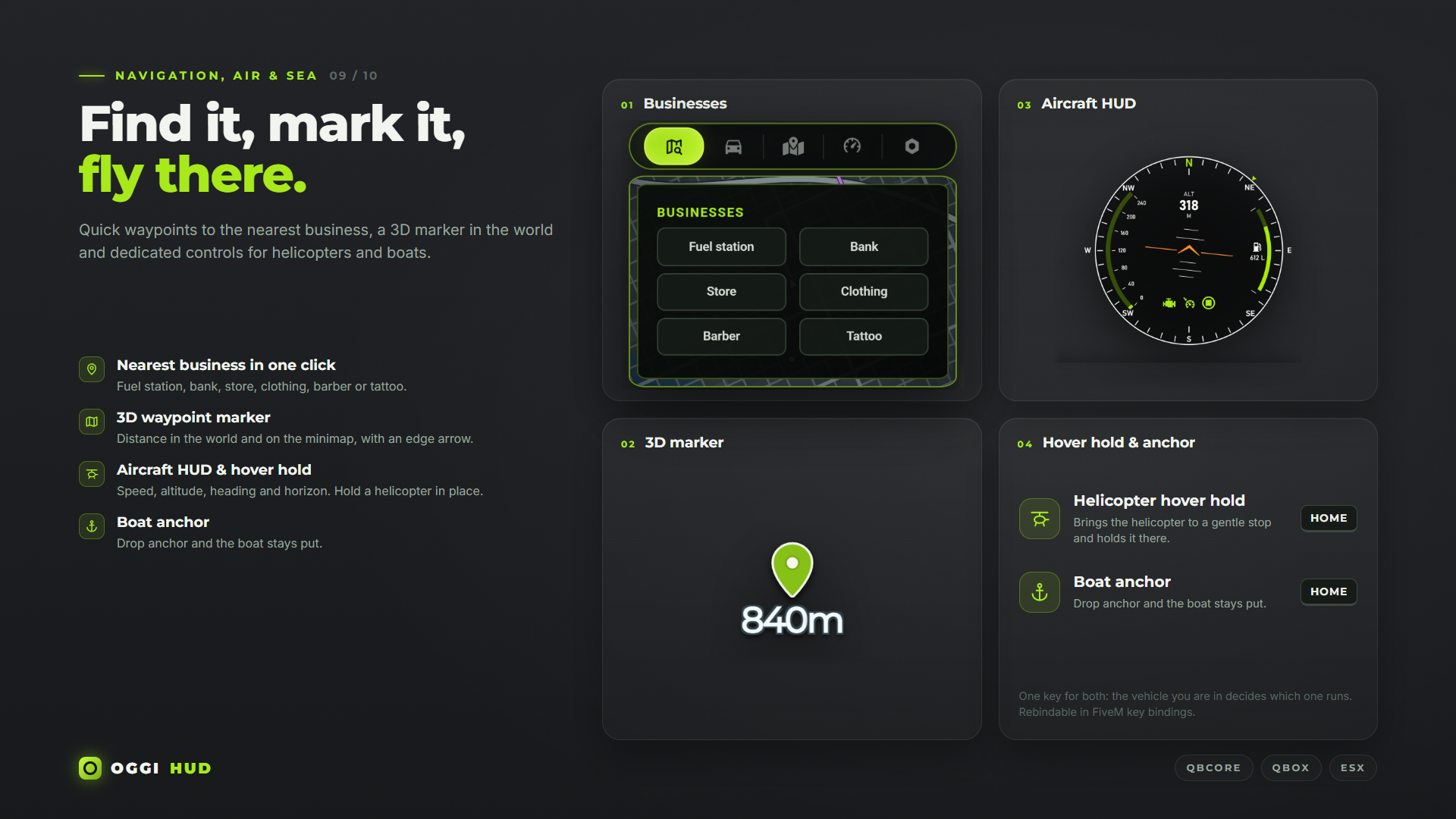
Five car clusters are included. They show speed, RPM, gear, fuel, odometer, indicators, lights, seatbelt, engine and ABS warnings. Aircraft, boats and bicycles get their own HUDs: altitude, heading and attitude for aircraft, heading and anchor for boats, trip and odometer for bicycles. Speed can be shown in km/h or mph.
The odometer is saved per vehicle.
Minimap
The minimap is fitted inside the HUD frame, in a square or round shape depending on the layout. Routes and blips stay inside the frame. You can also choose to show the map only while in a vehicle.
A 3D waypoint marker shows the distance to your destination and points to the edge of the screen when the waypoint is off-screen. From the map tab, players can mark the nearest gas station, bank, store, clothing store, barber or tattoo shop with one click. The locations are set in the config.
Edit mode
Players can select any part of the HUD, drag it to a new position, resize it from the corner, or hide the parts they don’t need. Blocks snap to the screen edges and to each other, which makes it easy to line things up. Layouts are stored separately for each HUD style, and the vehicle, aircraft, boat and bicycle HUDs can each be placed on their own.
Driving tools
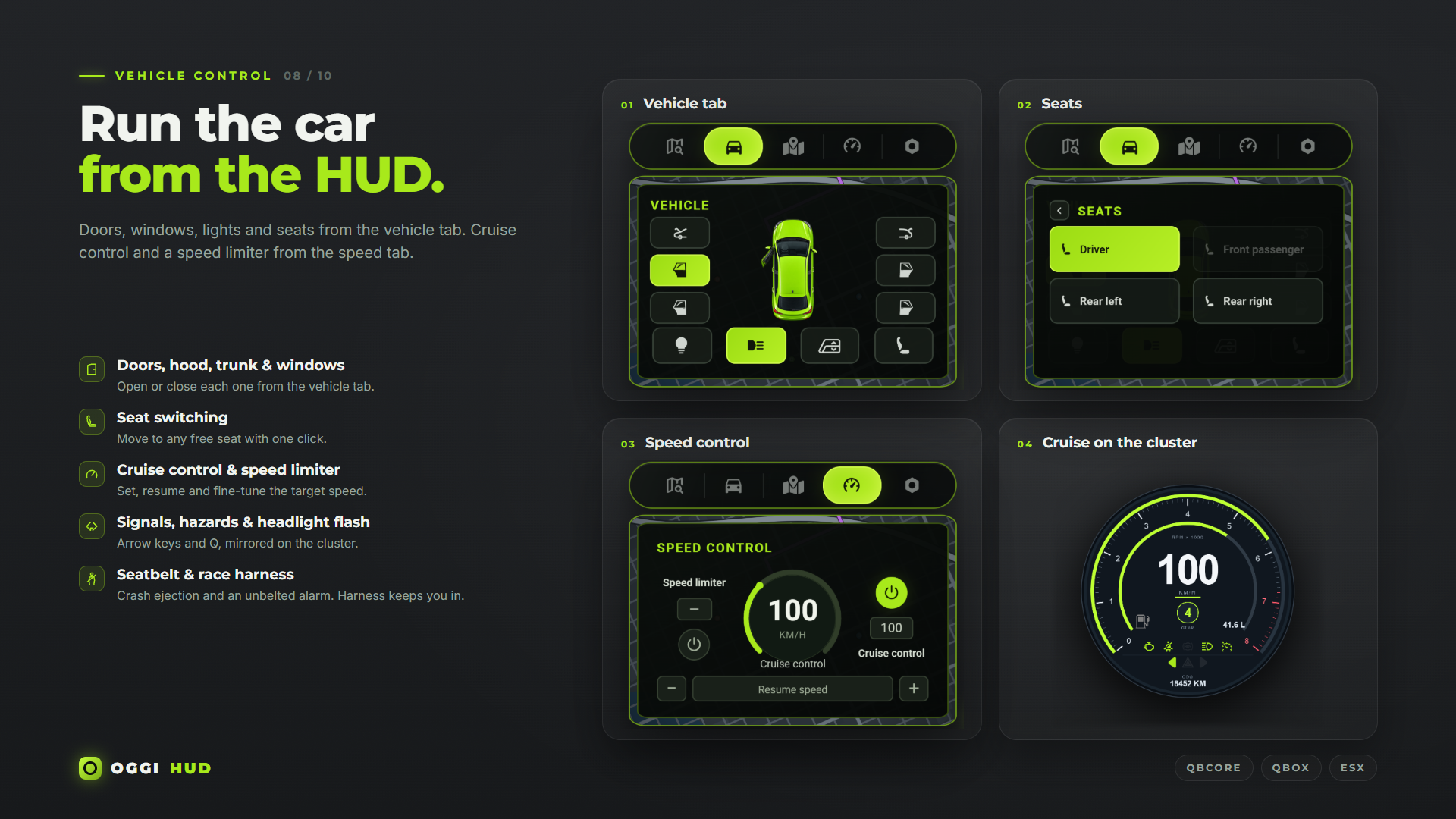
Speed limiter and cruise control. The target speed can be set with the dial, typed in, or changed with keybinds.
Vehicle menu for doors, hood, trunk, windows, interior light, headlights and seat changes.
Seatbelt and racing harness with sounds and a warning alarm.
Keybinds for indicators, hazards and headlight flash.
Other features
Languages
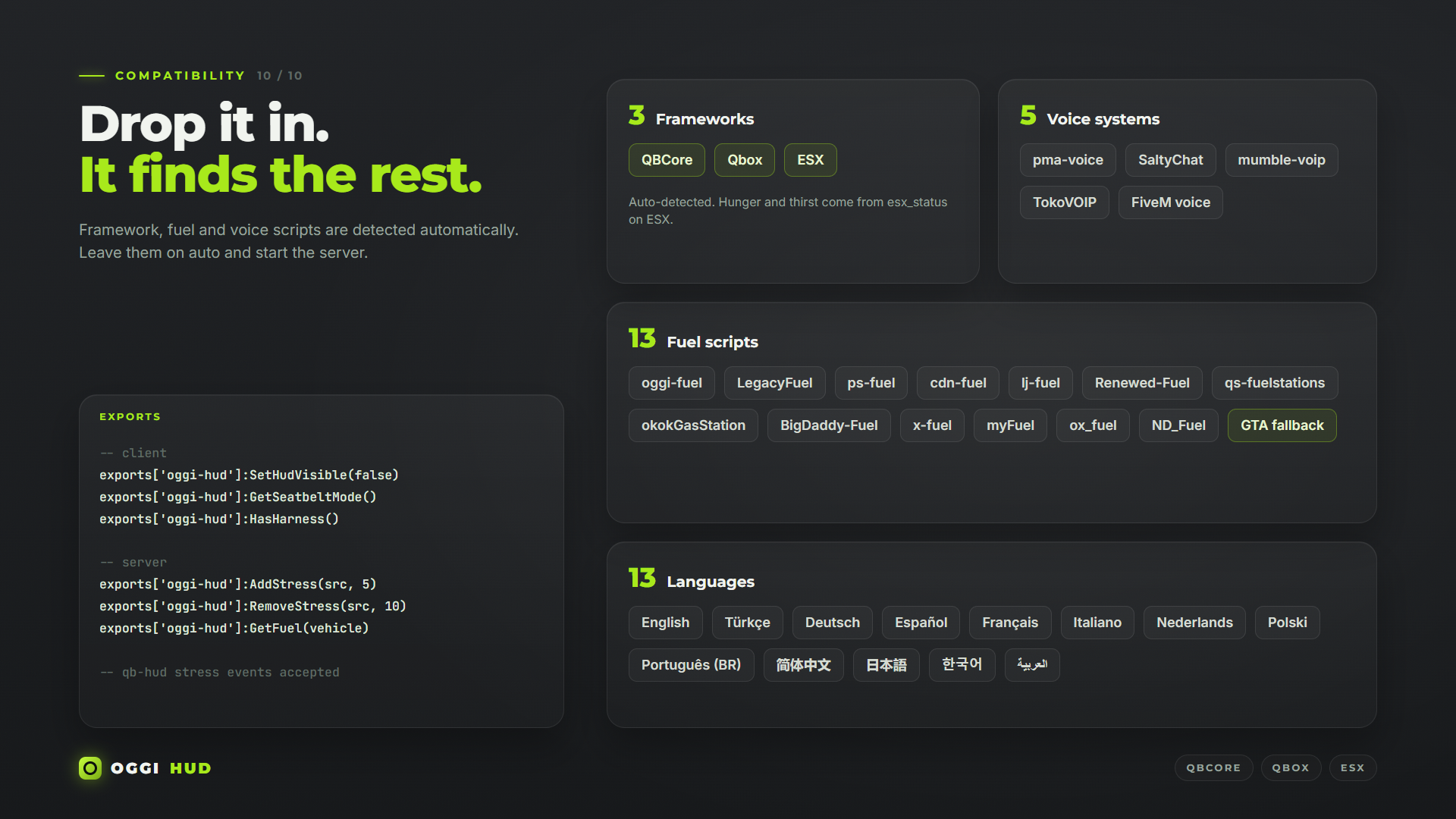
English, Turkish, German, Spanish, French, Italian, Dutch, Polish, Brazilian Portuguese, Simplified Chinese, Japanese, Korean, and Arabic.
Compatibility and installation
Works with QBCore, Qbox and ESX. The framework is detected automatically, and common fuel scripts are picked up on their own.
Requires oxmysql. On ESX, import the included database/esx.sql.
Run only one HUD resource at a time. Remove or stop your current HUD before installation.
Every choice is saved per player, so two players on the same server can have completely different HUDs.
Hidden link for visitors, to see
Log in or register now.
Layouts and statuses
The HUD comes with five layouts: Framed, Frameless, Joined, Round and Round Modern. Health, armor, hunger, thirst, stress and stamina can be shown in ten different styles, and each status can use its own color. Statuses blink when they drop to a critical level.
The location panel shows the compass, street, area and clock, using either game time or real time. The info panel shows server ID, player count, cash, bank, job and gang, with six styles to choose from. A weapon HUD shows clip and reserve ammo in three styles.
Vehicle HUDs
Five car clusters are included. They show speed, RPM, gear, fuel, odometer, indicators, lights, seatbelt, engine and ABS warnings. Aircraft, boats and bicycles get their own HUDs: altitude, heading and attitude for aircraft, heading and anchor for boats, trip and odometer for bicycles. Speed can be shown in km/h or mph.
The odometer is saved per vehicle.
Minimap
The minimap is fitted inside the HUD frame, in a square or round shape depending on the layout. Routes and blips stay inside the frame. You can also choose to show the map only while in a vehicle.
A 3D waypoint marker shows the distance to your destination and points to the edge of the screen when the waypoint is off-screen. From the map tab, players can mark the nearest gas station, bank, store, clothing store, barber or tattoo shop with one click. The locations are set in the config.
Edit mode
Players can select any part of the HUD, drag it to a new position, resize it from the corner, or hide the parts they don’t need. Blocks snap to the screen edges and to each other, which makes it easy to line things up. Layouts are stored separately for each HUD style, and the vehicle, aircraft, boat and bicycle HUDs can each be placed on their own.
Driving tools
Speed limiter and cruise control. The target speed can be set with the dial, typed in, or changed with keybinds.
Vehicle menu for doors, hood, trunk, windows, interior light, headlights and seat changes.
Seatbelt and racing harness with sounds and a warning alarm.
Keybinds for indicators, hazards and headlight flash.
Other features
- Stress system with screen effects, works with the usual stress events from other scripts.
- Voice range and talking indicator for pma-voice, SaltyChat, mumble-voip and TokoVOIP.
- Streamer mode hides location details. Cinematic mode hides the HUD and adds letterbox bars.
- Performance mode for lower-end PCs.
- The HUD stays hidden on the character selection screen and appears once the character is loaded.
Languages
English, Turkish, German, Spanish, French, Italian, Dutch, Polish, Brazilian Portuguese, Simplified Chinese, Japanese, Korean, and Arabic.
Compatibility and installation
Works with QBCore, Qbox and ESX. The framework is detected automatically, and common fuel scripts are picked up on their own.
Requires oxmysql. On ESX, import the included database/esx.sql.
Run only one HUD resource at a time. Remove or stop your current HUD before installation.
Hidden link for visitors, to see
Log in or register now.
Hidden link for visitors, to see
Log in or register now.
Hidden link for visitors, to see
Log in or register now.
Hidden link for visitors, to see
Log in or register now.